Seedance, Kling, Veo and MiniMax API Pricing: What 10 Seconds of AI Video Costs
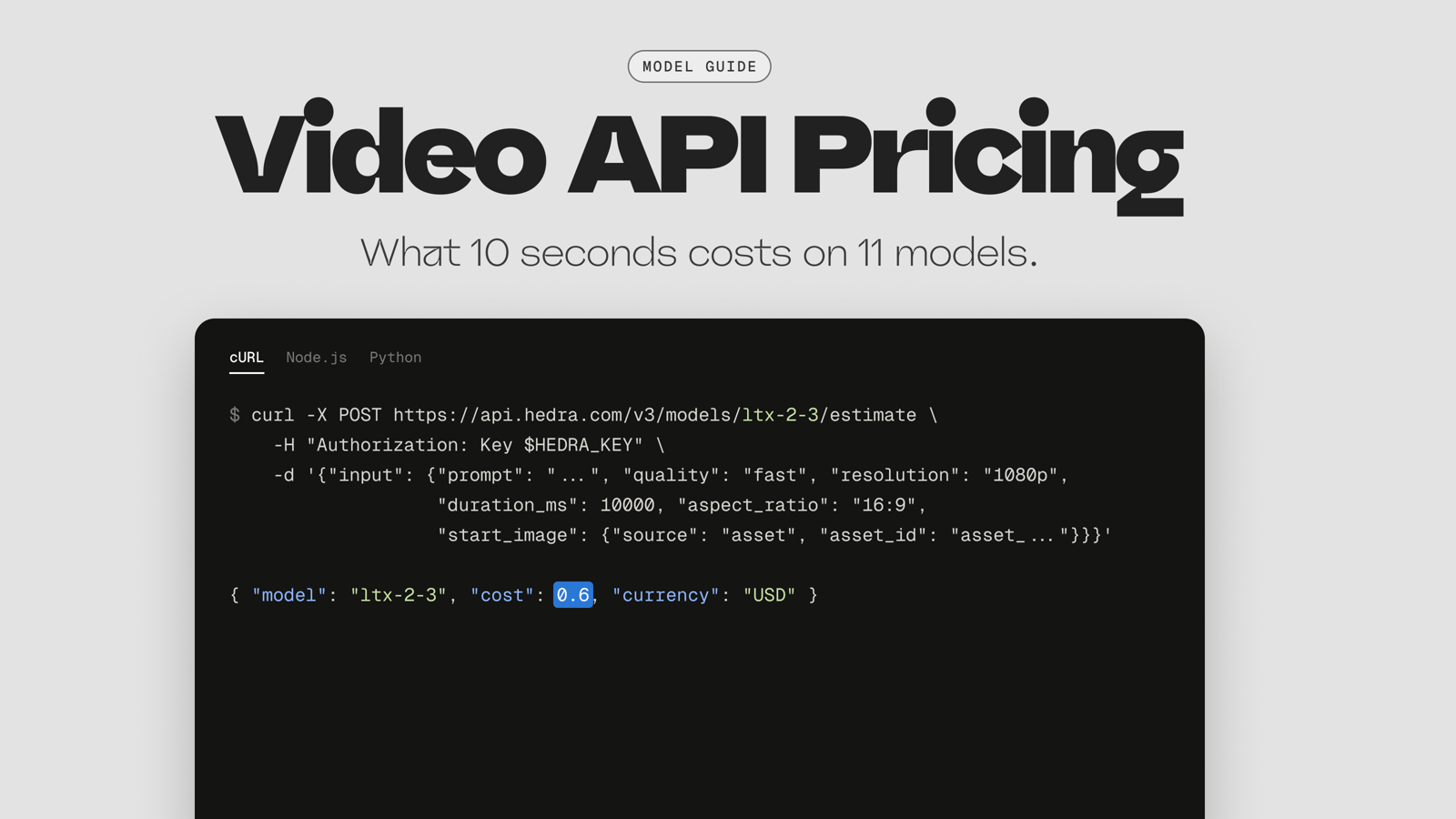
For one fixed job on Hedra's API (a 10-second, 1080p clip with native audio, generated from a start frame), prices run from $0.60 on LTX-2.3 Fast to $7.91 on Seedance 2.5, a 13x spread for the same output spec. Nine of the 11 models we compared meet that spec. In between the extremes: Seedance 1.5 Pro at $1.13, Kling V3 Pro at $1.68, Wan 3.0 at $2.00 and Seedance 2.0 at $5.27. The other two miss it: Veo 3.1 stops at 8 seconds and MiniMax H3 has no 1080p setting, so we price them separately as nearby alternatives.
Most teams don't pick one video model and stay there. Prices move, new versions ship, and the model that suits a vertical ad isn't the one that suits a 20-second explainer. On Hedra, all 11 models here sit behind one API key, one USD balance and one request format, so switching means changing the model id and adding any fields the new schema requires. You can price the exact request with the estimate endpoint before running it, and jobs that fail for transient reasons are retried on Hedra's side, with webhook deliveries retried for up to six hours.
Every number is a published Hedra API rate multiplied out with its configuration attached, taken from the live model catalog (the same data the API serves at GET https://api.hedra.com/v3/models), last checked September 25, 2026. Direct-provider prices and other platforms aren't covered. The rate tables come first, then one test run of the same prompt on three of the models.
The job we priced
One workload, held constant for every model:
- Duration: 10 seconds (
duration_ms: 10000) - Resolution: 1080p
- Audio: native audio on (
generate_audio: true) - Input: one start frame and a text prompt
- Outputs: one clip per call
Where a model has quality tiers, we used the tier that reaches 1080p. It's a common shape for a product integration: a still you already have, turned into a short clip with sound.
What ten seconds costs on each model
A per-second rate without a resolution and an audio setting doesn't tell you what a clip costs. Seedance 1.5 Pro's lowest listed rate is 1.13¢ per second (480p, silent); the job above runs at 11.25¢ per second on the same model, ten times as much.
Models that meet the job. All prices are Hedra API rates, checked September 25, 2026.
Model and tier | Rate at 1080p, audio on | 10-second clip | Rate with audio off |
|---|---|---|---|
LTX-2.3 Fast | 6¢/s | $0.60 | Not listed separately |
LTX-2.3 Pro | 8¢/s | $0.80 | Not listed separately |
Seedance 1.5 Pro | 11.25¢/s | $1.125 | 5.63¢/s ($0.56) |
Kling 2.6 Pro | 14¢/s | $1.40 | 7¢/s ($0.70) |
Kling O3 Pro | 14¢/s | $1.40 | 11.2¢/s ($1.12) |
Wan 2.7 | 15¢/s | $1.50 | No audio setting |
Kling V3 Pro | 16.8¢/s | $1.68 | 11.2¢/s ($1.12) |
Wan 3.0 Standard | 20¢/s | $2.00 | Not listed separately |
Wan 3.0 Prime | 28¢/s | $2.80 | Not listed separately |
Seedance 2.0 Standard | 52.73¢/s | $5.27 | Not listed separately |
Seedance 2.5 | 79.09¢/s | $7.91 | Not listed separately |
Wan 2.7's schema has no generate_audio setting. A test generation we ran on September 25 (2 seconds, 1080p) came back with an audio track, so it's listed here with audio included; there's no documented way to turn it off.
Nearby alternatives that miss part of the spec. Same source and date.
Model and setting | What it misses | Rate | Clip cost |
|---|---|---|---|
Veo 3.1 Fast, 1080p, 8s | 8-second maximum | 14.29¢/s | $1.14 |
Veo 3.1 Standard, 1080p, 8s | 8-second maximum | 39.29¢/s | $3.14 |
MiniMax H3, 2K, 10s | No 1080p setting (2K is the next step up) | 13¢/s | $1.30 |
MiniMax Hailuo 2.3 Pro, 1080p, 6s | 6-second maximum at 1080p; our Standard-tier test clip was silent | 7.14¢/s | $0.43 |
Rates are from each model's published price in the model catalog and its model page. Neither MiniMax model has an audio setting in its schema, so we ran a short test on each on September 25: MiniMax H3 returned a clip with an audio track, and Hailuo 2.3 (Standard tier) returned a silent clip.
Three things change the bill more than the headline rate.
Audio is on unless you turn it off. Every model here that has a generate_audio setting defaults it to true. If your product mutes the clip or lays its own soundtrack over it, leaving the default in place doubles the rate on Seedance 1.5 Pro (11.25¢ against 5.63¢) and on Veo 3.1 Standard (39.29¢ against 19.64¢), and adds half again on Kling V3 Pro (16.8¢ against 11.2¢). Send "generate_audio": false explicitly. Where a published rate isn't split by audio, don't assume silence is cheaper; price it with the estimate endpoint.
The version matters more than the family. At 1080p, Seedance 2.0 costs 4.7 times what Seedance 1.5 Pro does, and Seedance 2.5 costs 7 times as much. The biggest difference in their schemas is reference inputs: 2.0 and 2.5 accept reference images, video and audio, and 1.5 Pro doesn't. If your job sends one start frame and nothing else, the schema gives you no reason to pay 4.7 to 7 times more, so the case for the newer versions has to come from your own quality test.
A list price covers one attempt. Generation is probabilistic, and the clip you ship may be your second or fifth. Multiply the per-clip cost by your own attempts-per-keeper ratio before you compare models. Thirteen LTX-2.3 Fast takes cost $7.80, less than one Seedance 2.5 clip, so a cheaper model that needs more retries can still come out ahead, or behind, depending on your prompts.
One test run, three prices
We ran the job once on three of the models that meet it: LTX-2.3 Fast, the cheapest; Kling V3 Pro, from the middle of the range; and Seedance 2.5, the most expensive. Each clip is 10 seconds at 1080p with native audio, from the same start frame and this prompt, word for word:
0-4s: She pours the steamed milk into the espresso, drawing a latte-art heart, as the camera slowly pushes in on the cup. 4-7s: She sets the pitcher down, slides the cup across the counter toward the camera, and turns her head to look into the lens with a warm smile. 7-10s: She says, "One flat white — enjoy." Audio: steam-wand hiss, soft café chatter, cups clinking, her voice clear and warm.
Here is what happened in this test. One generation per model can't tell you how often each one gets a scene right, so read these as three data points.
LTX-2.3 Fast, $0.60
The camera follows the pour in one continuous move, but the room around her stays static. The patrons behind her hold still, and the soundtrack is a steady hum with no chatter or clinking until she speaks, about seven seconds in. By the last few seconds the café and the barista have both changed: the woman who ends the clip isn't the one in the start frame, so a product that needs the same character throughout would need another take.
Kling V3 Pro, $1.68
The barista stays the same person from the first frame to the last. Behind her the patrons drink and gesture, a car passes the window, and you can hear the room murmur before she speaks. The clip ends with her facing the camera, holding the finished cup.
Seedance 2.5, $7.91
The barista stays the same person throughout, and the soundtrack carries cup and counter sounds from the first second. She sets the pitcher down, brings the cup toward the camera, and ends facing the lens with the latte art held out in front of her.
What we checked on each take in this run:
Check | LTX-2.3 Fast ($0.60) | Kling V3 Pro ($1.68) | Seedance 2.5 ($7.91) |
|---|---|---|---|
Same barista start to finish | No, she changes near the end | Yes | Yes |
Same café start to finish | No, the room changes near the end | Yes | Yes |
Patrons in the background move | No, they hold still | Yes | Yes, slightly |
Room sound before she speaks | Steady hum only | Murmur | Cup and counter sounds |
Ends speaking to the camera | Yes | Yes | Yes |
The checks are the reusable part. Run them on your own prompts, since they decide whether a take is a keeper or a retry.
What each video model accepts through the API
Every model here accepts a start frame. Each row comes from the model's live schema.
Model (API id) | Duration range | Resolutions | Audio flag | Other inputs |
|---|---|---|---|---|
Seedance 1.5 Pro ( | 4 to 12s | 480p, 720p, 1080p | Yes, on by default | End frame |
Seedance 2.0 ( | 4 to 15s | 480p to 4K (Fast tier: 480p, 720p) | Yes, on by default | Up to 9 reference images, 3 videos, 3 audio clips |
Seedance 2.5 ( | 4 to 30s | 480p, 720p, 1080p | Yes, on by default | Up to 30 reference images, 10 videos, 10 audio clips |
Kling V3 ( | 3 to 15s | 720p (Standard), 1080p and 4K (Pro) | Yes, on by default | End frame (with a start frame), up to 6 shots via |
Kling O3 ( | 3 to 15s | 720p (Standard), 1080p and 4K (Pro) | Yes, on by default | 1 to 3 reference images, |
Kling 2.6 Pro ( | 5 or 10s only | 1080p | Yes, on by default | None |
Veo 3.1 ( | 4, 6 or 8s | 720p, 1080p | Yes, on by default | End frame, 1 to 3 reference images, source video |
Wan 3.0 ( | 2 to 30s | 480p, 720p, 1080p | Yes, on by default | End frame, or up to 10 reference images (one input path per request) |
Wan 2.7 ( | 2 to 15s | 720p, 1080p | No setting (audio returned in our test) | End frame, or up to 4 reference images |
LTX-2.3 ( | 6 to 20s on Fast, 6 to 10s on Pro | 1080p, 1440p, 2160p | Yes, on by default | End frame |
MiniMax H3 ( | 5 to 15s | 480p, 768p, 2K, 4K | No setting (audio returned in our test) | End frame, up to 5 reference images |
Aspect ratios vary more than people expect. Veo 3.1 accepts only 16:9 and 9:16, Kling V3 and O3 add 1:1, and Seedance and Wan 3.0 take a wider set including 4:3 and an adaptive option. If your product needs 4:5 or 21:9, check before you pick.
Where each model loses
Seedance. Seedance 1.5 Pro is the cheapest Seedance at 1080p and tops out at 12 seconds, with start and end keyframes but no reference images. Seedance 2.0 and 2.5 take reference images, video and audio, and 2.5 goes to 30 seconds, but they're the two most expensive models in this comparison per second. Seedance 2.0's Fast tier is cheaper and stops at 720p.
Kling. 1080p on Kling V3 and O3 means the Pro tier, so set "quality": "pro" explicitly: the default is the 720p Standard tier. Kling 2.6 Pro offers exactly two durations, 5 and 10 seconds. All three Kling models accept only 16:9, 9:16 and 1:1, which rules them out for some layouts. Where Kling earns its place is multi_prompt: up to six shots with their own prompts and durations in one request, which none of the other families here expose.
Veo. Veo 3.1 caps at 8 seconds, so a 10-second clip means two generations and a cut, or a frame handoff you manage yourself. Standard costs 39.29¢ per second with audio, more than any model that meets the job except Seedance 2.0 and 2.5. The Fast tier at 14.29¢ per second sits close to Kling O3 Pro's rate, which makes it the cheaper way in if you want Veo for clips of 8 seconds or less.
Wan. Wan 3.0 does 30 seconds in a single shot at a quarter of Seedance 2.5's 1080p rate. It also takes one input path per request: start and end frames, or reference images, not both. Wan 2.7 is cheaper at 15¢ per second, returns audio with no way to switch it off, and stops at 15 seconds.
MiniMax. MiniMax H3 can't run this job as specified. It has no 1080p setting, so the nearest match is 2K at 13¢ per second, $1.30 for 10 seconds. It has no audio setting, but our test clip came back with sound. MiniMax Hailuo 2.3 reaches 1080p on its Pro tier at 7.14¢ per second, but only for 6 seconds, and our Standard-tier test clip came back silent: $0.43 a clip, or $0.30 on the Fast Pro tier at 5¢. Where MiniMax fits best is cheap sub-1080p work: H3 at 768p is 6¢ per second, and H3 Max Turbo at 768p is 4¢.
LTX-2.3. It's the cheapest model that fits the job. The Pro tier stops at 10 seconds while Fast goes to 20, and aspect ratio is limited to auto, 16:9 or 9:16, with auto available only when you send a start frame.
Hedra's own video models. Hedra Character 3 and Hedra Avatar are audio-driven: they take a start frame plus an audio file and produce a talking or singing video up to 10 minutes long. For a scene generated from a still and a prompt, they're the wrong call, and we'd point you at the models above. If the job is a person delivering a script, that's a different comparison with a different shortlist.
How to switch between models in the Hedra API
Every model above runs through the same call: POST https://api.hedra.com/v3/models/{id} with an Authorization: Key header and an input object, followed by the same job lifecycle (poll GET /v3/jobs/{job_id}/status or receive a webhook, then read the result from GET /v3/jobs/{job_id}) and the same output shape (quickstart). Moving the job from Seedance 1.5 Pro to Kling V3 Pro means changing the model id in the path and adding one field. Here is the Kling V3 request. The Seedance 1.5 Pro version is the same body without "quality": "pro", sent to /v3/models/seedance-15-pro.
POST https://api.hedra.com/v3/models/kling-v3
{
"input": {
"prompt": "Slow push-in on the product as steam rises from the cup",
"start_image": { "source": "asset", "asset_id": "asset_..." },
"duration_ms": 10000,
"resolution": "1080p",
"aspect_ratio": "16:9",
"quality": "pro",
"generate_audio": true
}
}
Other moves need more care, because the conditional rules differ by model; Wan 2.7, for example, rejects aspect_ratio when you send a start frame. Read the target model's schema at /v3/models/{id}/openapi.json before you hardcode an enum, since schemas change more often than blog posts. Then send the new body to POST /v3/models/{id}/estimate, which returns the cost for that configuration without starting a job (estimate reference). The submit body also takes an optional webhook URL and an idempotency_key.
Which video model we'd pick for three common jobs
Each shortlist starts from the models whose schema fits the job, keeps the cheapest, and adds the ones with a feature that job tends to need. Which one looks best on your prompts is the test to run next.
A short vertical clip with sound, 8 seconds or less. Test LTX-2.3 Fast, Seedance 1.5 Pro, Kling V3 Pro and Veo 3.1 Fast. All four do 9:16 at 1080p with audio, and 8 seconds costs $0.48, $0.90, $1.34 and $1.14 respectively. LTX-2.3 Fast is the cost floor, though it starts at 6 seconds and takes even durations only. Seedance 1.5 Pro goes down to 4 seconds and can drop to half price with audio off. Kling V3 Pro can split the clip into several shots with multi_prompt, and Veo's 8-second ceiling doesn't matter at this length.
A longer narrative shot, 20 to 30 seconds in one take. Only Wan 3.0 and Seedance 2.5 accept 30 seconds in one call, and LTX-2.3 Fast reaches 20. Thirty seconds at 1080p costs $6.00 on Wan 3.0 Standard, $8.40 on Wan 3.0 Prime and $23.73 on Seedance 2.5; twenty seconds on LTX-2.3 Fast costs $1.20. If you don't need Seedance 2.5's reference inputs, start with Wan 3.0. If the story is several shots rather than one, Kling V3's multi_prompt covers up to 15 seconds across six shots.
A cost-sensitive batch where sound is optional. Seedance 1.5 Pro with audio off is the cheapest way in this set to get a 10-second 1080p clip, at 5.63¢ per second, about $563 per thousand clips. With audio, LTX-2.3 Fast is cheapest at 6¢ per second, $600 per thousand. At that volume, the audio default and your retry rate move the bill more than the per-second gap between these two.
What this comparison leaves out
It leaves out a quality ranking. The three clips above show what to check on one scene, and a ranking needs a fixed prompt suite scored blind across many scenes. Generation time is out of scope too. How long a video job takes depends on the model, the resolution and duration, and how busy the queue is when you submit, so any single figure would describe our test run more than your traffic. The API gives you what you need to measure it on your own requests: the job status endpoint returns an estimated_completion_at timestamp, refreshed on every poll and null when no estimate exists for the model yet (job status reference), and the log drain emits separate queued and started events, so you can split queue time from generation time. It also leaves out other platforms' prices for the same models. If you're comparing providers, hold this same configuration constant across them.
FAQ
How much does the Seedance API cost?
On Hedra, at 1080p with native audio: Seedance 1.5 Pro is 11.25¢ per second, Seedance 2.0 is 52.73¢ and Seedance 2.5 is 79.09¢. A 10-second clip costs $1.13, $5.27 and $7.91. Seedance 1.5 Pro drops to 5.63¢ per second with audio off.
How much does the Kling API cost per second?
At 1080p with audio, Kling V3 Pro is 16.8¢ per second, Kling O3 Pro is 14¢ and Kling 2.6 Pro is 14¢. With audio off, V3 Pro and O3 Pro drop to 11.2¢ and 2.6 Pro to 7¢.
What is the maximum clip length for the Veo 3.1 API?
8 seconds. The schema accepts 4, 6 or 8 seconds, at 720p or 1080p, in 16:9 or 9:16.
Which AI video models can generate 30 seconds in one API call?
Among the models in this comparison, Wan 3.0 (2 to 30 seconds) and Seedance 2.5 (4 to 30 seconds).
Does the MiniMax API support 1080p?
MiniMax H3 doesn't: it offers 480p, 768p, 2K and 4K, with 2K at 13¢ per second on Hedra. MiniMax Hailuo 2.3 offers 1080p on its Pro tier at 7.14¢ per second, for 6-second clips only, and a Standard-tier test clip came back silent.
How do I estimate what a video generation will cost before running it?
Send the same request body you would submit to POST /v3/models/{id}/estimate. It returns the cost and currency for that configuration.
Can I switch video models without rewriting my integration?
The endpoint pattern, authentication, job lifecycle and output format are shared across models, so the model id is the main change. Each model has its own enums and conditional rules, so check the target model's schema at /v3/models/{id}/openapi.json first.
Run the comparison on your own job
Browse the video models, pull the schema for the two or three that fit your job, and price your real request body with the estimate endpoint before committing traffic. The v3 quickstart walks through a first job, from key to downloaded output.