Hedra's MCP and CLI: Bring Hedra inference into your own agents
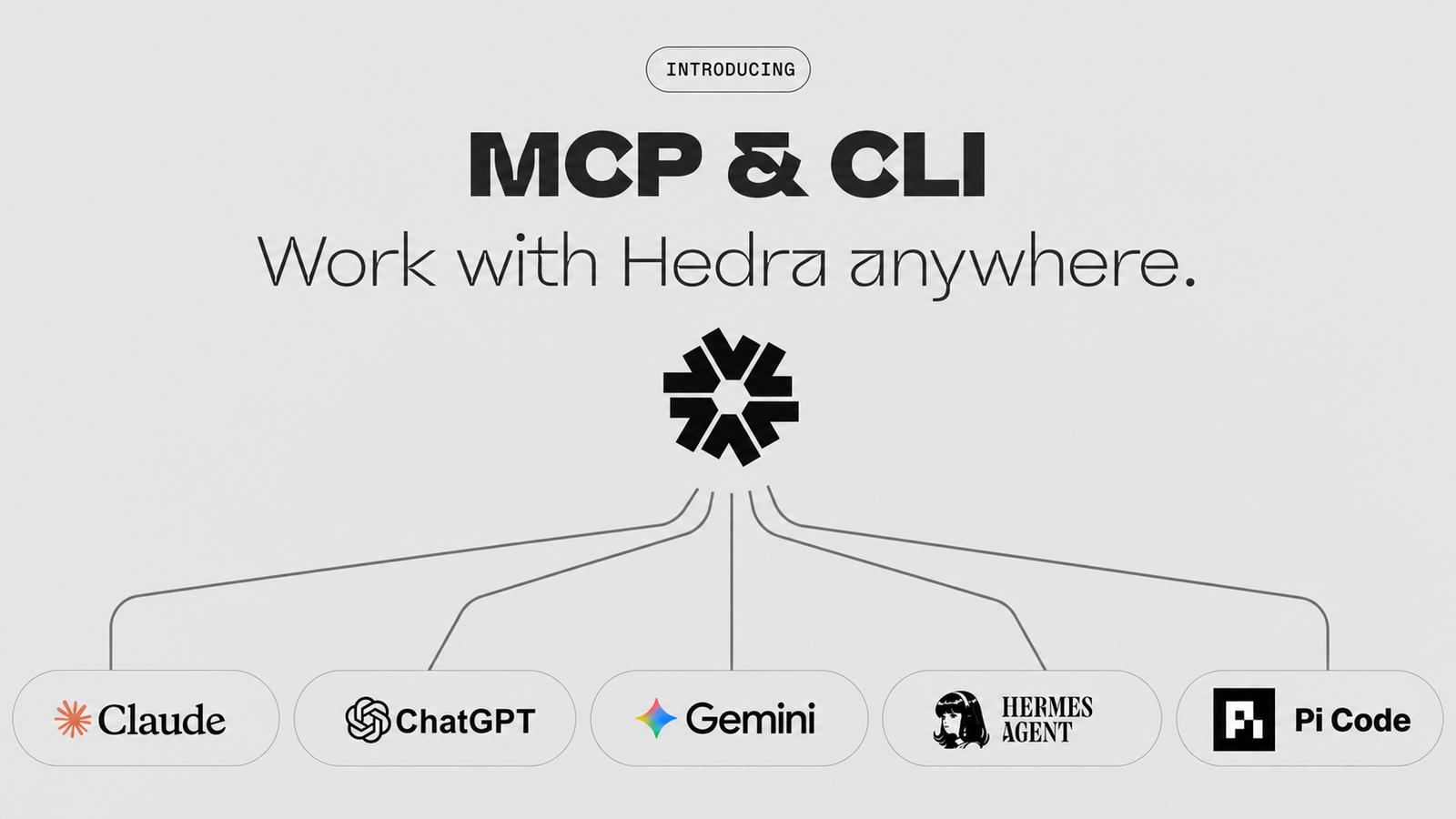
The Hedra MCP and CLI let the agents you already work in generate images, video and audio with Hedra's models directly. MCP connects Hedra to a chat agent like Claude or ChatGPT and saves what you make to your Hedra library. The CLI runs in a terminal, for you or a coding agent like Claude Code or Codex, and hands back a file.
Whatever you already use to get work done, Claude, ChatGPT, Claude Code, Cursor, Codex or Hermes, can reach Hedra's open-source and third-party image, video and audio models. You don't need to open Hedra to generate with Hedra: ask the agent you're already talking to.
Agents have already made teams more productive everywhere else. This brings that same leverage to visual inference. Automate entire functions, generate personalized sales videos and demo content on the fly, or hand your whole ad and marketing pipeline to an autonomous agent built on Hedra.
Your team's agent already knows how to do this
Most teams don't need to be sold on using Claude or ChatGPT anymore, that call's already been made. What's still clunky is everything downstream of it: someone needs an image or a video, so they close the chat, open a different tab, and go make it somewhere else. MCP closes that gap. Connect Hedra once, and generating a visual becomes one more thing the agent your team already runs everything through can do, not a reason to leave it.
For an enterprise team, that matters even more. Rolling out a new tool to a hundred people means procurement, a training session, another login to manage. Rolling out an MCP connector to a team already on Claude or ChatGPT is much lighter: add Hedra wherever your team manages its connectors, and each person signs in with their Hedra account the first time they use it. There's nothing to install and no new app to learn.
What is an MCP server?
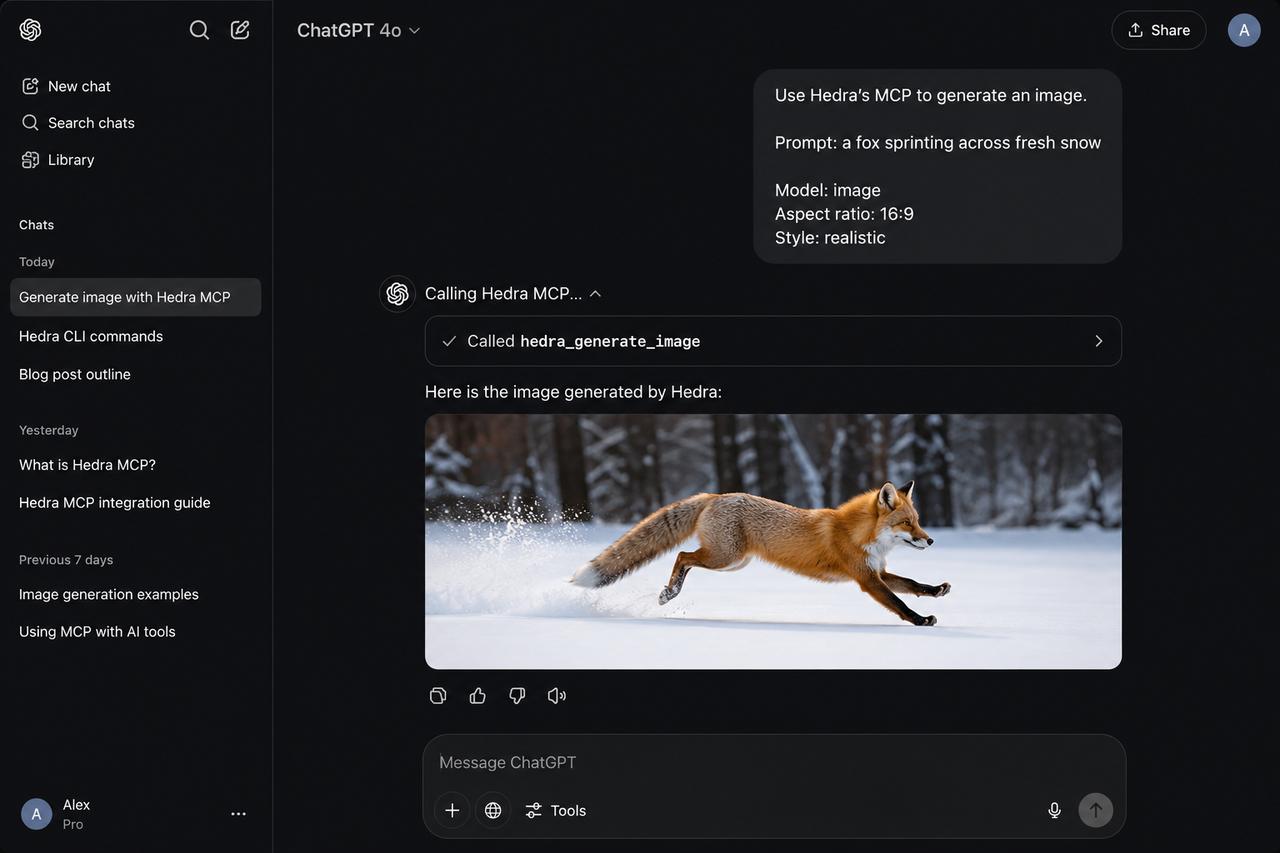
MCP stands for Model Context Protocol. It's a standard that lets an agent like Claude or ChatGPT connect to outside tools and use them directly, inside the same conversation, instead of just answering questions about them. Hedra publishes an MCP server so an agent can generate images, video and audio the same way it already reads a file or searches the web, one more tool it has access to.
What is a CLI?
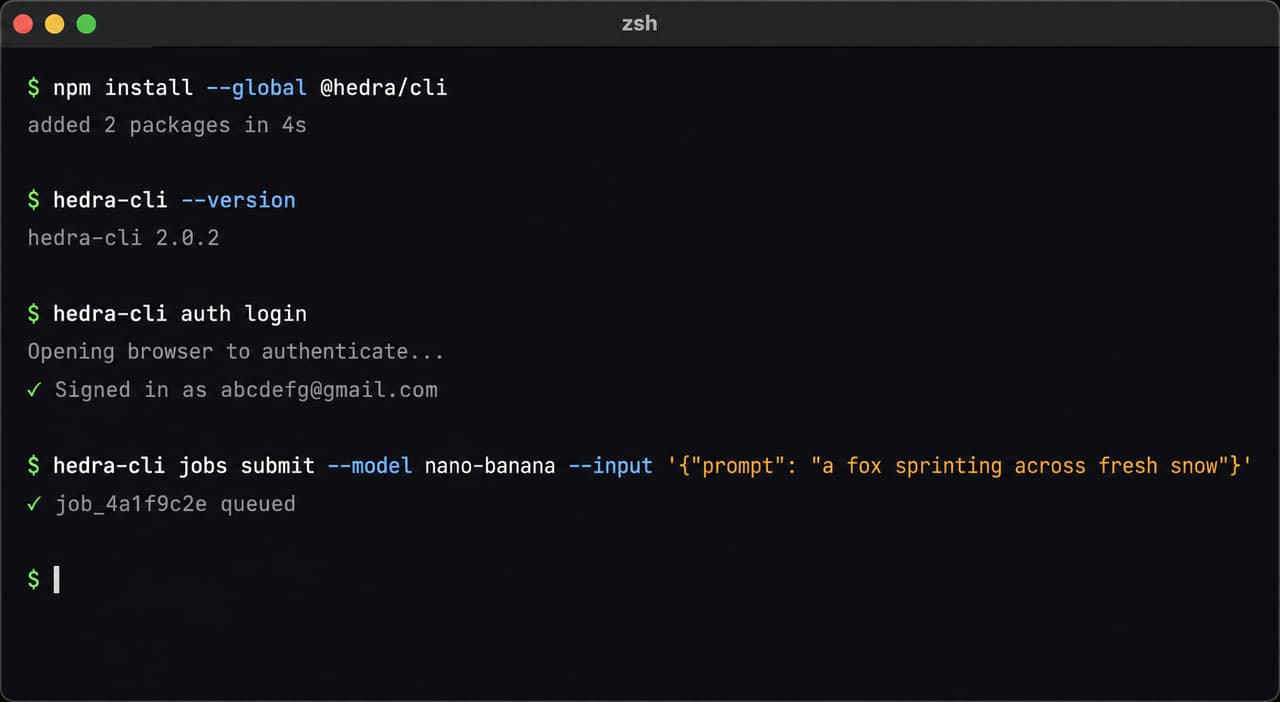
CLI stands for command-line interface, a program you or an agent runs directly in a terminal instead of through a chat window. Hedra's CLI works like any other command-line tool: install it, sign in, and run a command like hedra-cli jobs submit to generate something and get a file back.
MCP or CLI?
Both are legitimate ways to generate with Hedra, and most people end up reaching for each one at different times, depending on what they're doing and what's their workflow.
MCP | CLI | |
|---|---|---|
Where the output goes | Saved to your Hedra library, plus a link to the file | A link to download the file, nothing saved to your library |
Setup | Connect it like any other MCP server, no install | Install via npm, Homebrew, or a script |
Billing | Workspace credits or your prepaid USD wallet | Your prepaid USD wallet |
What you can build
- Keep the context you already built. Brainstorm an idea with Claude, and by the time you're ready for a visual, the conversation already holds the whole thing: the direction, the references, why you talked yourself out of the first two versions. Copy all of that into Hedra's canvas and you're starting over. Ask for the visual right there instead, and it generates from everything you already said, not a prompt you have to reconstruct from memory.
- Bring in the design files you already have. If Figma's MCP, or whatever else your team runs, is connected to the same agent, that context travels with it. Ask for a visual that matches an existing brand file, and the agent already has it, instead of you exporting it and re-uploading it somewhere else.
- Swap a visual without leaving the chat. Ask Claude to change the hero image on your homepage, and get back the new version, no design queue, no separate tab.
- Turn a site refresh into one script. Point the CLI at every image on your site and regenerate the batch overnight, instead of opening a canvas hundreds of times.
- Keep your company's channel stocked without booking a shoot. Point the same agent that already runs your content calendar at Hedra, and a new video becomes one more thing it generates on schedule.
- Generate a personalized sales video on demand. Demo content and sales videos become something your agent can produce on the fly, instead of a separate production request to someone else's queue.
- Let the pipeline run itself. Hand your ad and marketing pipeline to an agent that already plans it, generation included, instead of handing visuals off as a separate step.
Getting started
You already have an agent, it just didn't have Hedra yet. Pick whichever setup fits how you work.
Using the CLI:
- Install it with npm (
npm install --global @hedra/cli), which needs Node.js, or with Homebrew (brew install hedra-labs/tap/hedra-cli). An installer script and build-from-source instructions are on GitHub. - Sign in, two ways to do it:
- With a key: grab an API key from your Hedra account and set it as
HEDRA_API_KEY. - Without a key: run
hedra-cli auth loginand authenticate in the browser instead.
- With a key: grab an API key from your Hedra account and set it as
- Run a command yourself, or point a coding agent at it. Each model has its own command, and adding
--helpto it lists the inputs that model needs:hedra-cli jobs submit-minimax-h3 \--input.prompt "a fox sprinting across fresh snow" \--input.resolution 768p \--input.duration-ms 5000 \--input.aspect-ratio 16:9
If a CLI command fails:
- npm not found, or a permissions error. The npm install needs Node.js, so install that first. If npm reports an EACCES error, that's npm's permissions for global installs, and npm's own docs cover the fix.
- Add --help to any command.
hedra-cli jobs submit-minimax-h3 --helplists that model's required inputs and every accepted value, and a wrong value is caught before anything is sent. - Read the error. A rejected request lists every invalid field and the values it accepts.
- Prompts go to your agent, not your terminal. Typing a plain-English prompt straight into a terminal returns "command not found". Put it inside a command, like the one above, or give it to your agent.
- Or let your coding agent drive.
hedra-cli generate-skillswrites SKILL.md files your agent can load, and--schemagives an agent a machine-readable version of any command's help. Describe what you want to make and let it work out the flags.
Using MCP:
- Add
https://mcp.hedra.comas a connector in your agent, then sign in to Hedra when it asks. For Claude and Cursor, hedra.com/mcp has a one-click install. In ChatGPT, go to Settings → Apps, add a custom app and paste the URL. In Codex, runcodex mcp add hedra --urlhttps://mcp.hedra.com. - Most clients sign you in through the browser. If yours asks for a key instead, use Create MCP key on hedra.com/develop/api-keys. The FAQ below covers what that key can access.
Both need a Hedra subscription. The MCP can spend your workspace credits or your prepaid USD wallet, and the CLI spends the USD wallet.
FAQ
Do I need a Hedra account to use the CLI or MCP?
Yes, and a Hedra subscription, for either one. MCP works inside the account you already have. The CLI needs you signed in too, even though it doesn't save anything back into your library.
Do I need an API key to use the MCP?
Usually not. Claude, ChatGPT, Claude Code, Codex, Cursor and Hermes connect by signing in to Hedra in your browser. If your client connects with an API key instead, use Create MCP key on hedra.com/develop/api-keys. It creates a key limited to four scopes: jobs:read, jobs:write, models:read and files:write. That covers looking up models, uploading reference files, and submitting and checking generations. It can't create or rotate keys, change webhooks or read your usage.
Do I need to set this up separately for everyone on my team?
Not the connector. If your team manages connectors centrally in Claude or ChatGPT, Hedra goes in the same way. Each person still needs a Hedra account and signs in once, the first time they use it.
Does my CLI generation show up in my Hedra account?
No. You get a link to download the file. MCP generations land in your library automatically; CLI ones don't.
Is this the same as Hedra's API?
Not exactly. The API and SDKs are for building your own product on top of Hedra's models, for other people to use. MCP and CLI are for reaching your own account, or getting a file back, through an agent you already use, not for building something separate.
Which models can I reach through this?
The same library the API serves: MiniMax H3, Veo, Nano Banana, Seedance 2.5, and the rest of the image, video and audio catalog, including our own in-house models.
Which agents work with this?
Claude, ChatGPT, Cursor, Claude Code, Codex and Hermes are all confirmed to work, through whichever surface fits how you're working.
How is usage billed?
The MCP can spend your workspace credits or your prepaid USD wallet. The CLI spends the USD wallet only.