

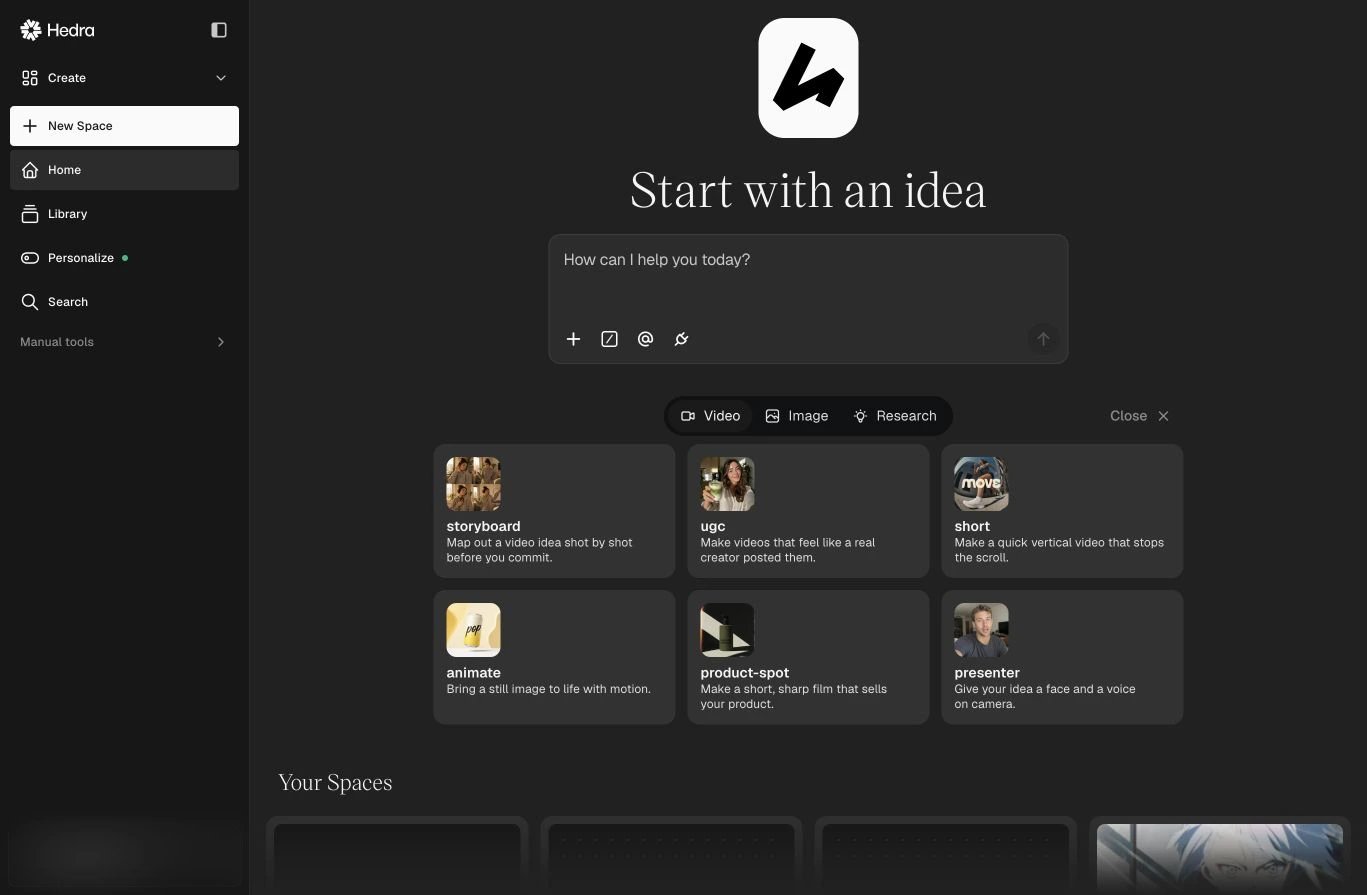
The Hedra agent starts with your goal, not a tool picker.
From tools to outcomes
Traditional creative software asks you to choose every tool and execute every step. Hedra can reason across the workflow: research a direction, generate or transform media, use references, and keep the work organized on a canvas. You still have direct access to image, video, speech, and editing controls when you need them. The difference is where you start:- Start with a goal — describe the outcome in natural language.
- Add context — attach references, mention Elements, or use connected sources.
- Keep it conversational — describe the result and let the agent choose the appropriate capabilities.
- Iterate in context — review the work on the canvas and ask for changes without rebuilding the brief.
- Reuse what works — save repeatable instructions as Skills.
The core building blocks
The agent
Brief the work, provide context, and direct the outcome through conversation.
Spaces
Keep the conversation, canvas, references, and generated assets together.
Elements and references
Give the conversation visual context and preserve what matters across outputs.
Skills and connectors
Turn repeatable work into instructions and bring external context into the agent.
Start in three steps
1
Create a Space
Open Hedra and select New Space.
2
Describe the outcome
Start with what you want to accomplish. Add a reference asset, Element, command,
or connector when the task needs more context.
3
Review and direct
The agent places work on the canvas. Ask for another direction, a targeted edit,
more research, or a new output using the work already in the Space.