

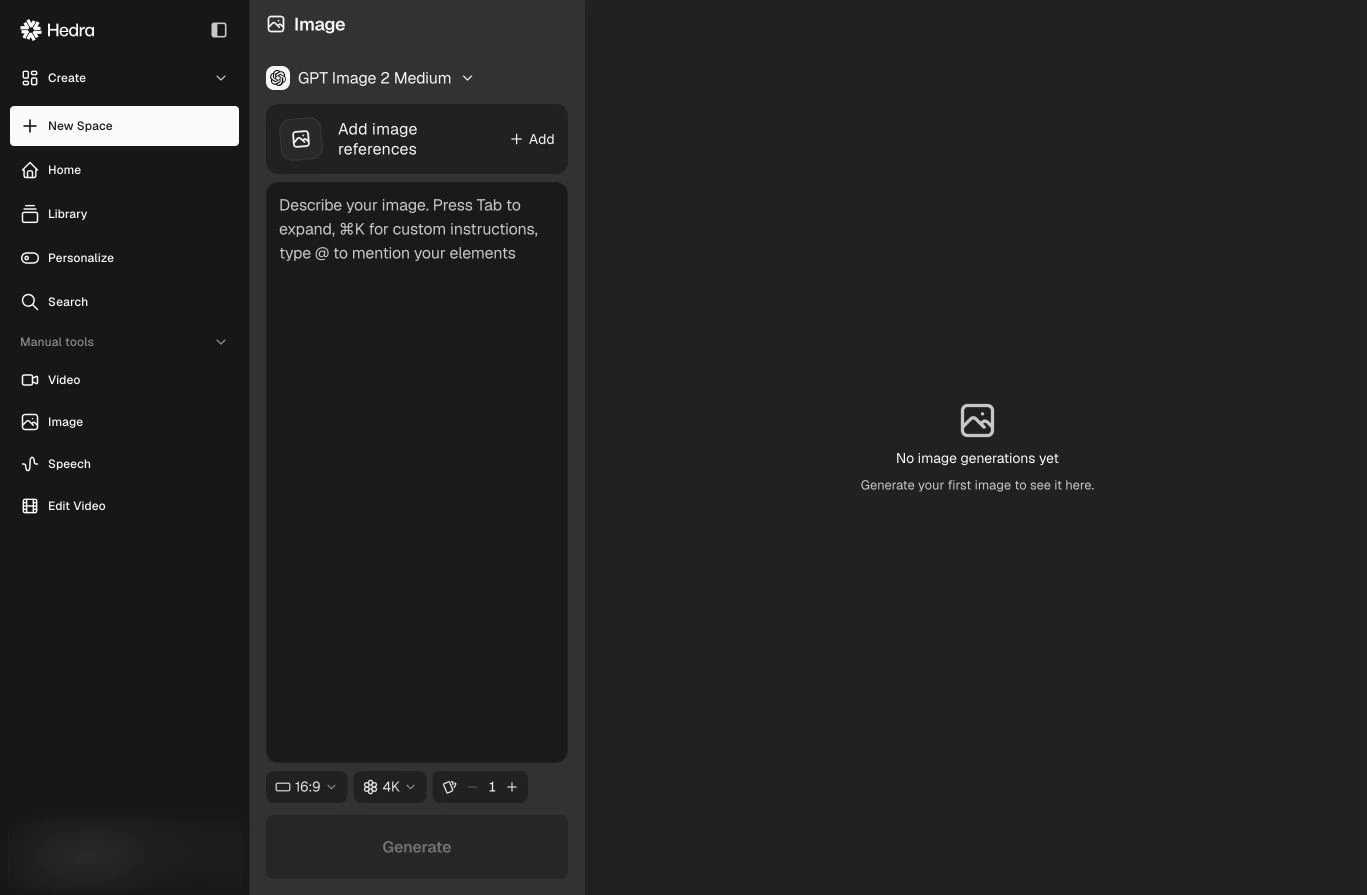
Image keeps the model, references, prompt, and output settings together.
Generate an image
- Open Manual tools → Image.
- Choose a model.
- Add image references when the model supports or requires them.
- Describe the output. Type
@to mention an Element. - Choose a supported aspect ratio, resolution, and batch size.
- Select Generate.
Choose inputs intentionally
- Use a prompt for the subject, composition, environment, and visual direction.
- Add references when identity, product fidelity, structure, or style should carry into the result.
- Mention an Element when you want to reuse a saved character, environment, style, outfit, or brand identity.
Available references, controls, credit cost, and output settings depend on the
selected model. The live model selector is the source of truth.