What Are Hedra Visual Skills? Reusable Workflows Just Became Omnimodal
Last updated: August 2026
Quick answer: a skill is a saved, reusable workflow you hand to Hedra's agent. As of today, a Hedra skill can hold reference images, audio, and video — your logo, a product shot, a signature sound, a reference clip — as part of that workflow, permanently. Attach it once, and it's there every time the skill runs.
References aren't new to AI creative work. Attach a product shot to a generation, a style frame to guide a look, a reference clip for movement — that's increasingly how the best output gets made across image and video tools, Hedra included. What stayed missing was persistence at the workflow level. A skill couldn't hold onto its own references. You reattached the same logo, the same sound, the same clip, on run one, run two, run fifty. Fine once. Tedious by run ten. On a team producing a dozen assets across multiple products, it's also where mistakes creep in — someone forgets to attach it, grabs an old version, and the brand drifts without anyone deciding it should.
That changed today, and it's built directly into how you work with Hedra's agent.
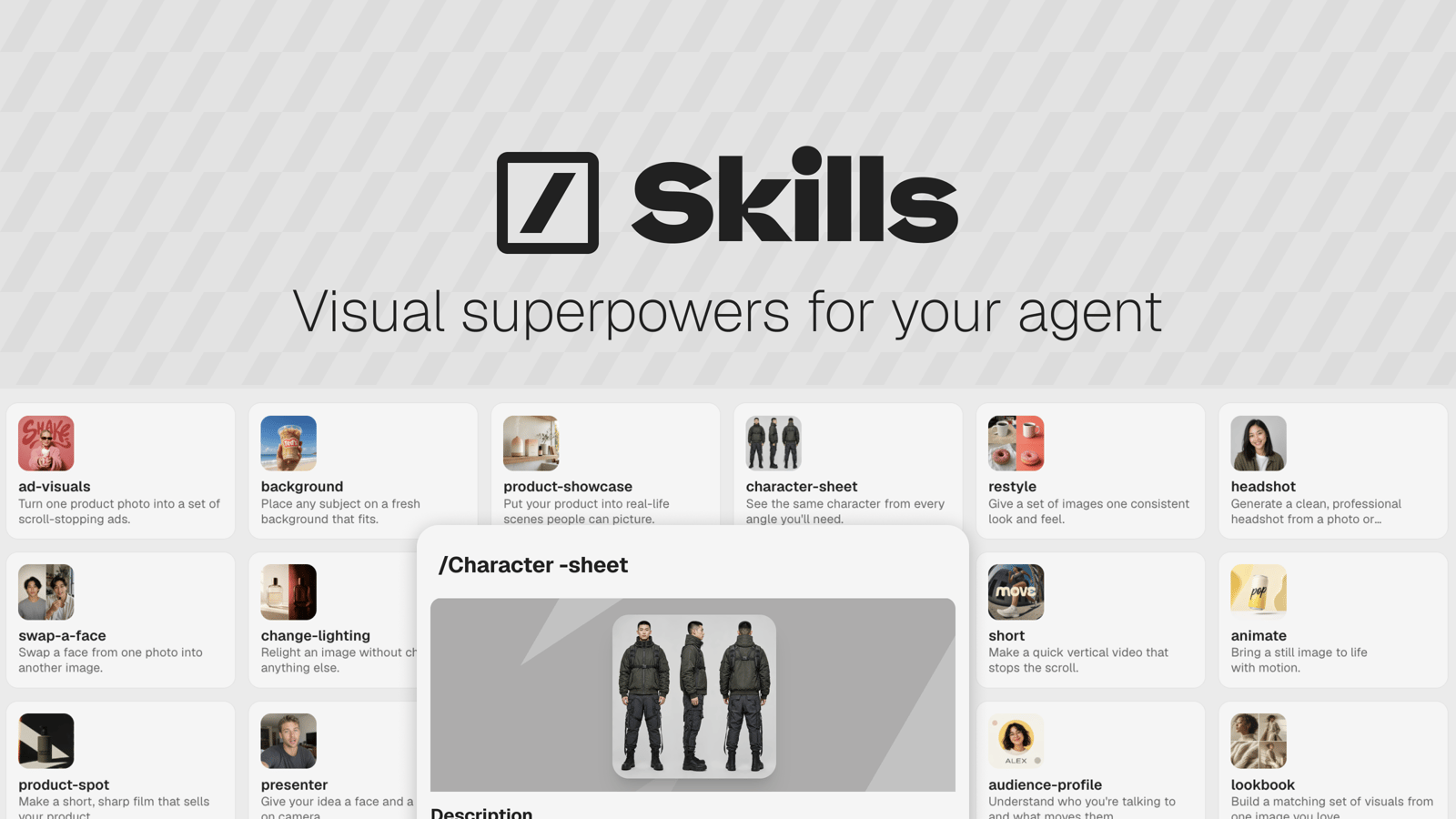
What is a Hedra visual skill?
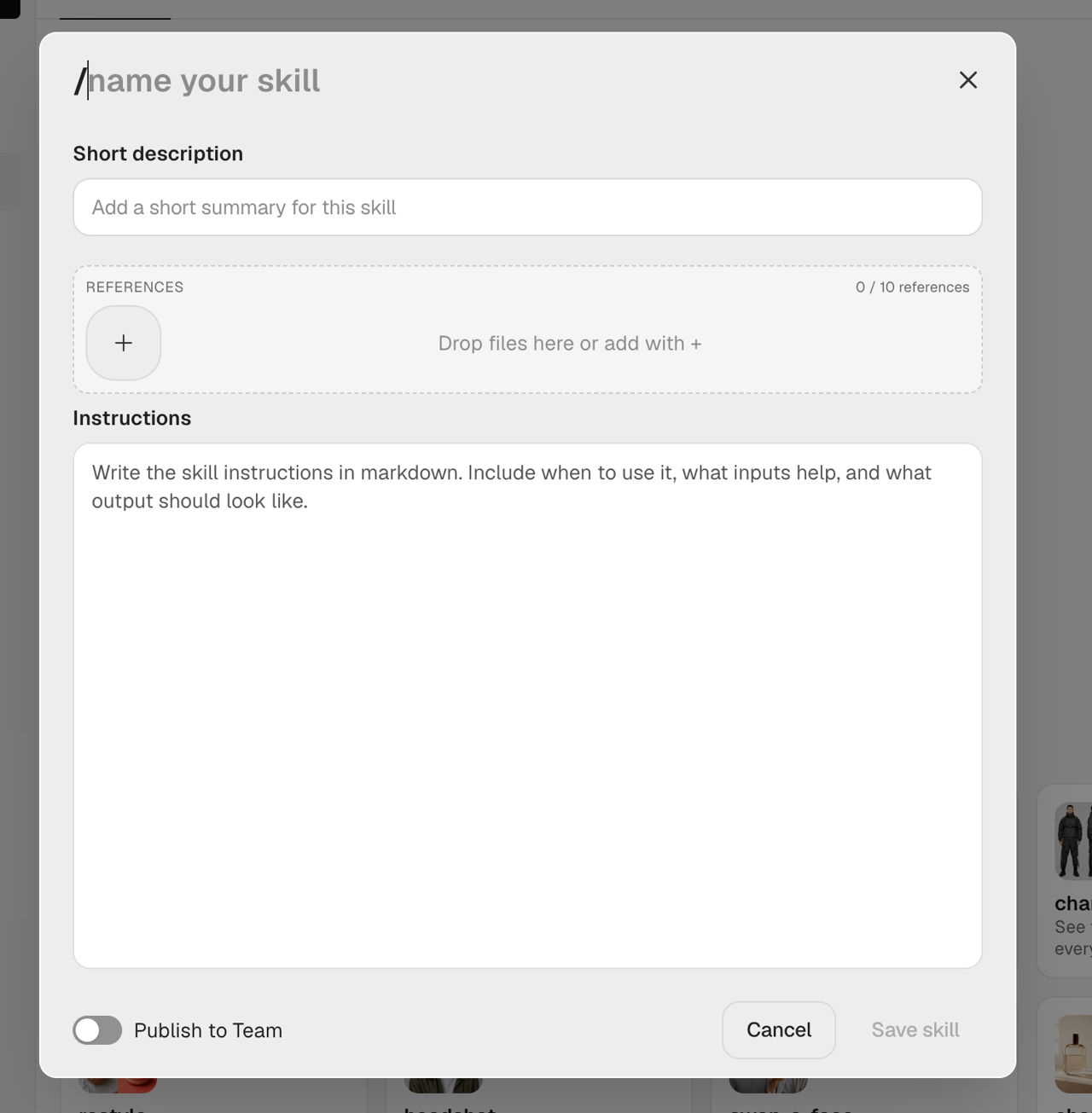
A skill is the workflow you hand to Hedra's agent — the same agent that plans and builds your videos. A visual skill isn't a different kind of skill. It's what any skill becomes the moment you attach a reference image to it — and it stays attached. Every skill you build already has a References panel sitting right next to the instructions field, up to ten images, optional. Attach one, and it's saved as part of the skill's definition, not just the run you built it in — so it's there automatically the next time you call that skill with the agent.
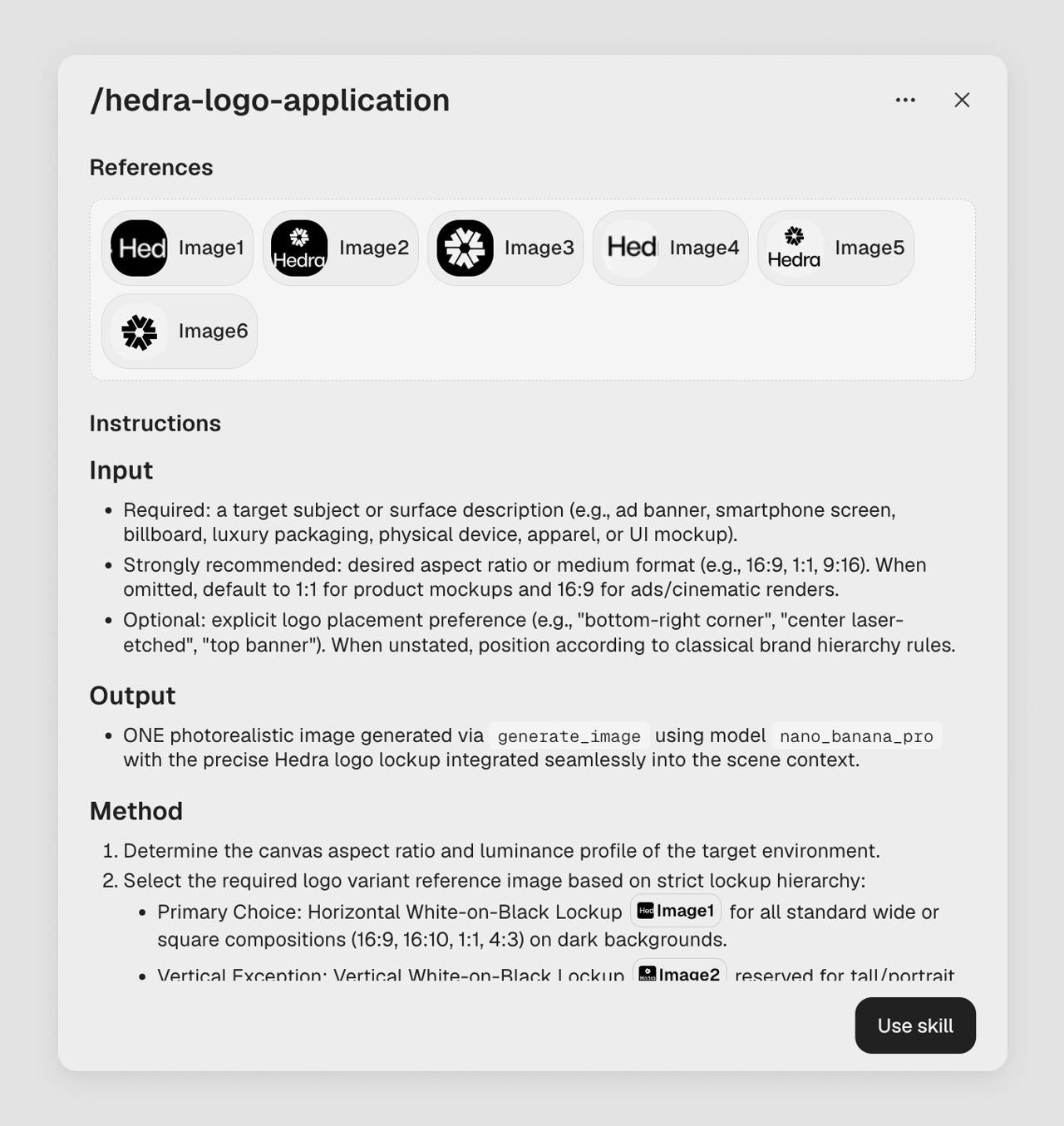
Here's what that looks like built out: a skill for Hedra's own logo, six lockup variants — horizontal and vertical, light-on-dark and dark-on-light — attached as references. The instructions don't just say "use our logo." They tag which exact variant applies where: the horizontal white-on-black lockup for wide or square compositions on a dark background, the vertical version for tall compositions, and so on down the list. That's the difference between describing a reference and tagging one by name — no ambiguity left for the model to fill in on its own.
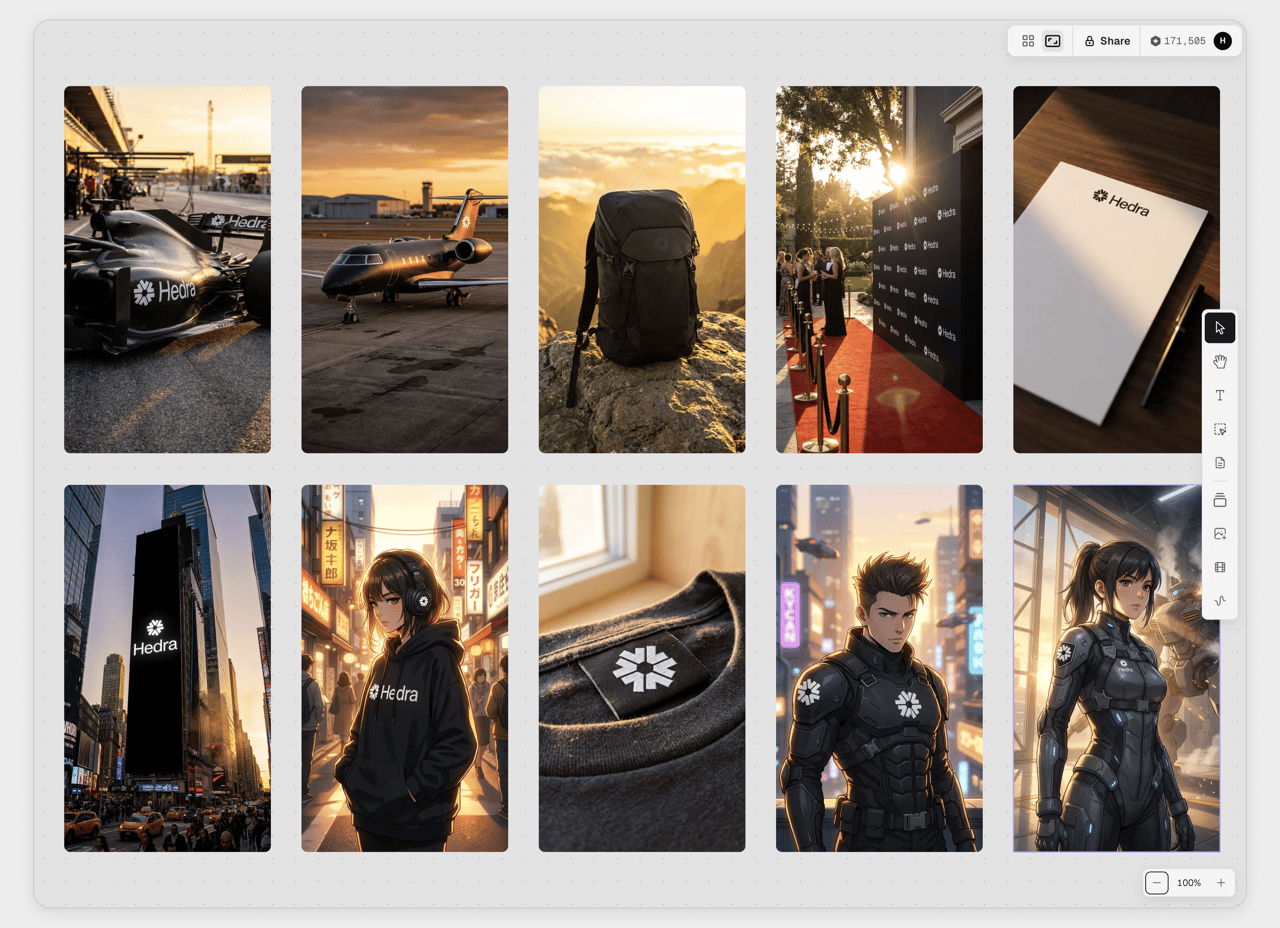
From then on, every image that skill touches carries the correct logo automatically — an F1 livery, a private jet, a Times Square billboard, a hoodie, a clothing tag, even a fully stylized character in illustrated armor. Different format, different style, same exact mark every time, chosen correctly for the context instead of guessed at.
No re-uploading. No "which version of the logo did you use." No drift.
Who is a visual skill for?
Anyone can build one. It matters most to the person who isn't doing every piece of work themselves. A creative lead handing off a campaign to three teammates. An account lead at an agency running the same client's work across five people. Someone who cares about the brand staying right without reviewing every single output personally, because that doesn't scale past the second person.
That's the actual tension a visual skill resolves — not "how do I write a better prompt," but "how do I hand this off with confidence." Attach the right logo, the right palette, the right product shot to a skill once, and everyone who uses it inherits the same guardrails automatically. Nobody has to ask what shade of blue. The skill already has it.
Part of the same push
Visual skills aren't a standalone feature — they're one piece of what Hedra's been building toward all along: making it possible for a team to work together without the work drifting. Multiplayer put everyone in the same real-time space. Connectors linked that work into the rest of your stack. Attaching references to a skill closes the piece those two don't touch — keeping the brand itself consistent no matter how many people are in the room. The bigger the team, the more that matters. Five people each carrying their own mental picture of "on-brand" is exactly how consistency breaks down, and a shared, reference-backed skill is what stops it from happening in the first place.
Why this matters
Prompt-writing used to be the skill that mattered. Say the right words, get the right output — so the market optimized for people who were good at describing things precisely. That's shifting. The work that actually separates a strong result from a generic one now depends less on how the prompt is written and more on what references are sitting behind it: the right logo, the right product shot, the right example of the look you're going for.
That rewards a different kind of expertise. Not prompting skill — brand and creative judgment, the kind a creative lead or art director already has, just never had a direct way to hand to a model. Attaching a reference to a skill, permanently, is that direct way — and it's Hedra's agent that does the work with it, planning and building the shot around the exact references you gave it. More on how the agent itself works in a separate piece.
Getting started
- Open the skill builder and name your skill.
- Attach your references. Logo, product shots, palette, video, audio — up to ten — dropped straight into the References panel.
- Write the instructions, tagging each reference by name where it matters. "Use [logo] on the left, [palette] throughout" instead of hoping the model remembers which asset you meant.
Save it, and it's ready to use with Hedra's agent — call up the skill in a conversation, and the references come along automatically every time. Want your whole team working from it? Publish it, and everyone starts from the same references. That part's optional.
FAQ
What's the difference between a regular skill and a visual skill? There isn't one, structurally. Every skill has the same References panel available. A skill becomes a "visual skill" the moment you attach an image to it — it's a description of how you used the builder, not a separate thing you create.
Do I need to do anything different to use a visual skill? No. Call it up in a conversation with Hedra's agent the same way you'd use any skill. The references travel with it automatically — nothing extra to attach, nothing to re-explain.
How is this different from a Claude skill? Claude skills are text and instructions only — there's no way to attach an image to one directly. A Hedra skill can hold the actual reference image as part of the skill itself.
How many reference images can I attach? Up to ten per skill.
Can I share a skill with my team? Yes — skills can be published to your team so everyone works from the same references and instructions instead of each person rebuilding it.
Once I share a skill with my team, can they make changes to it? stays locked to what the creator built — teammates can use it, but they can't edit the references or instructions. That's what keeps the consistency claim in this piece true: everyone pulling that skill is working from the exact same logo, palette, and instructions, not a version someone quietly tweaked.
How do visual skills relate to Hedra Multiplayer and connectors? They're solving different parts of the same problem. Multiplayer lets a team work in the same space in real time. Connectors bring that work into the rest of a team's tools. Attaching references to a skill makes sure the brand itself — the logo, the palette, the look — stays the same no matter who on the team is doing the work.