The Best AI Image Generators in 2026
The best AI image generator in 2026 is the one whose strengths match your job, because no single tool wins every category. One model renders clean text. Another handles photorealism. A third produces editable vector files. A fourth carries a still image straight into finished video.
This guide groups tools by what they do well, so you can jump to the lane that fits your work. A poster with clean typography needs a different tool than a 30-second product video. One pattern shapes the whole field, though: for most jobs the image is the start of finished media, not the end, and that is the lane Hedra was built for.
The field moved fast over the past year. Models that led in early 2025 have new versions, and tools that started as a single model now run several models under one roof. The honest answer to which one is best changes by the month and by the task. That is why this guide is built around your job, not a single winner.
We cover 11 named tools, describe what each one is strong at, and note where each one falls short. We also cover a question most roundups skip. What happens after you make the image? For many creatives the image is the start of a video, an ad, or a content series, not the endpoint. We give that question its own section, because for a growing share of work it decides the right tool, and it is the question Hedra was built to answer.
The AI image generator market sits inside a fast growing category. One industry report values the AI image generator market at USD 484.29 million in 2026, rising to USD 1.75 billion by 2034 (Fortune Business Insights, 2026). The tools below are the reason that growth keeps climbing.
How we evaluated each tool
We did not run a single head-to-head scorecard. The tools serve different goals, so a flat ranking would mislead you. Instead we describe how each tool fits real work, and we cite independent sources for factual claims about features and pricing.
We looked at the same set of criteria for every tool. These are the things that actually decide which generator earns a spot in your workflow.
- Output quality. How sharp, detailed, and believable the images look.
- Prompt adherence. How closely the result matches what you asked for.
- Text rendering. Whether the tool can place readable words inside an image.
- Pricing model. Free tier, subscription, credits, or pay-per-image.
- Ease of use. How fast a non-expert can get a usable result.
- Commercial and copyright rights. Whether you can use the output for business, and who owns it.
A short note on why each one matters helps you read the rest of this guide.
Output quality is the obvious one, but it splits into kinds. A photorealistic portrait and a flat icon are both high quality for their purpose. A tool can lead on one and lag on the other. We name the kind of quality each tool is built for.
Prompt adherence separates a usable tool from a frustrating one. A model with stunning output that ignores half your prompt wastes your time. You end up rerolling the same prompt for an hour. Strong adherence means the first or second result is close to what you pictured.
Text rendering is the criterion that trips up most models. For years, AI image tools produced garbled letters when asked for readable words. A few tools now solve this. If your work includes posters, logos, or social graphics with copy, this criterion can decide everything.
Pricing model matters more than the headline number. A free tier with tight limits can cost you more time than a paid plan. A per-image API fee suits developers. A subscription suits steady users. We describe the structure so you can match it to how you work.
Ease of use decides whether a non-designer can get value. Some tools reward weeks of practice with prompts. Others give a clean result on the first try. Neither is wrong. The right pick depends on your skill and your patience.
Commercial and copyright rights are easy to ignore until they bite. Who owns the image. Whether you can sell it. Whether the training data exposes you to a claim. We flag the rules for each tool, since they differ widely.
One more lens runs through this guide. Does the image need to become something else? A still frame is the beginning of most modern content, not the end. We flag which tools help you cross that bridge and which ones leave you to do it yourself.
We verified each tool's capabilities and pricing with live research, and we cite independent sources for the factual claims below.
Comparison table
Tool | Best at | Text in images | Pricing model | Commercial rights | Image to video |
Hedra | Image into finished media | Depends on chosen model | Free to start, then $15 to $75/mo | Depends on chosen model | Native, core feature |
Google Nano Banana 2, Nano Banana Pro, and Nano Banana | World knowledge, editing | Strong | Free in Gemini, paid from $7.99/mo | Yes on paid plans | No native path |
Conversational generation | Good | ChatGPT free and Plus $20/mo, plus API | Yes | No native path | |
Artistic, cinematic quality | Weak | No free tier, $10 to $120/mo | Yes, with revenue rule | No native path | |
Photorealism, developer use | Improving | Credit-based API, open weights for schnell | Varies by model license | No native path | |
Text and typography | Strong, typography focused | Free tier, paid from $20/mo | Yes | No native path | |
Commercial safe output | Good | Free tier, paid from $9.99/mo | Yes, with indemnification | No native path | |
Vector and brand design | Strong | Free tier, paid from $10/mo | Yes | No native path | |
Game and character assets | Moderate | Free tier, paid from $12/mo | Yes | Limited native video | |
Design beginners, teams | Moderate | Free tier, Pro $15/mo | Yes | Limited via Magic Media | |
Open-source control | Varies by model | Free, self-hosted | Yes, per license | No native path |
Use the table to shortlist. Then read the section for each tool to understand the trade-offs. Notice that Hedra is the one entry that carries the still past the image and into finished video.
1. Hedra
Hedra is a creative agent platform, not a single image model. On May 28, 2026 we upgraded Hedra's agent into a general agent built for creative work. It can research, reason, plan, produce video, image, and audio, and deliver the finished output, all in one workflow. We are the only general agent that uses its research to create finished media.
We lead this guide because most roundups miss the point that decides the tool. For a large share of real work, the image is the start, not the finish line. It becomes a video, an ad, a product demo, or a content series. Hedra is built for that next step, so the work does not stall at the still.
What it is best for. Turning an image into finished media. If your still needs to become a talking video, a presenter clip, or a content series, that is the lane we own.
Strengths. The Hedra agent helps select an image model for the job from options including Nano Banana, Flux, Imagen, and Seedream. You can carry the resulting image into a video workflow and add audio in the same workspace. Hedra is also developing Omnia as a unified world model: an open core base that partners can specialize through post-training to natively understand and process visual information. Image, video, and audio generation share a credit balance in Hedra.
Limitations. If all you need is a single still image and nothing more, a specialist tool below may be a faster pick. Our strength shows up when the image has a job after it is made. The output quality of any single image depends on which model the agent selects for the task.
Output quality and prompt adherence. Because the agent draws on top models in each category, output quality tracks the field for the task at hand. The agent reads the brief, picks a model that fits, and tunes the prompt for that model. You get strong results without learning the quirks of ten different tools, and the still you make is already set up to become video.
Text rendering and rights. When a job needs readable text, the agent can route to a model strong at typography. Commercial rights depend on the model the agent selects for a given step, so the same care about terms applies here as anywhere. The advantage is that you manage one workflow instead of stitching several together.
Who should use it. Solo founders, content creators, creative directors, educators, and go-to-market teams who need finished media, not just a picture. To see how we approach motion, read our guide to the best AI video generators and the upgrade note for the Hedra AI agent.
2. Google Nano Banana
Nano Banana is the family name for Google's Gemini image generation and editing models. Gemini acts as the reasoning brain, and Nano Banana acts as the eyes and brush. The family includes its highest-end model, Nano Banana Pro, and Nano Banana 2 as a cheaper alternative.
What makes this tool different is world knowledge. Because the model pulls from Gemini's understanding of real-world information, it can turn notes into diagrams and build infographics with correct context. That is rare. Most image models do not know facts. They know how things look.
What it is best for. Conversational editing, infographics, and images that need real-world accuracy. Nano Banana Pro supports high resolution output up to 4K and multi-reference editing, which means you can feed it several images and combine them.
Output quality and prompt adherence. The model follows complex prompts closely and produces clean, sharp results. Its real edge is editing. You can describe a change in plain words and the model applies it to an existing image while keeping the rest stable.
Text rendering. Text rendering is good, helped by the world knowledge layer. Because the model understands context, it places labels and short text in diagrams reliably.
Pricing and ease of use. The Gemini app is free with a monthly credit allowance, and paid plans run from $7.99 a month for Google AI Plus up to $99.99 for Google AI Ultra. Ease of use is high, since you generate inside tools many people already open every day. The Personal Intelligence feature can use your stated interests to shape an image without you spelling them out (TechCrunch, 2026).
Commercial rights. Paid plans allow commercial use.
Limitations. The output is a still image. There is no native path from the image to a finished video inside the same tool. You also work inside Google's ecosystem, which some teams prefer to avoid.
Who should use it. Marketers and educators who need accurate diagrams, and anyone already living inside Gemini. If your image needs to become a video, you will need a second tool for that step.
3. OpenAI GPT Image
GPT Image is OpenAI's image generation system, available through the API and inside ChatGPT. GPT Image 2 is the current flagship, released in April 2026, with the earlier GPT Image models still available at lower cost.
The appeal is conversation. You describe what you want in plain language, refine it in a back and forth, and the model adjusts. For people who already use ChatGPT, this feels natural. You do not learn a new interface. You keep talking.
That conversational loop changes how people work. You can ask for a change in plain words, see the result, and ask again. There is no panel of sliders to learn first. For a founder who needs an image fast, that low friction matters more than a perfect first try.
What it is best for. Quick concepting, social images, and anyone who wants to generate inside a chat they already use every day.
Output quality and prompt adherence. GPT Image follows instructions well and handles complex scene descriptions with reasonable accuracy. It offers multiple quality tiers and several resolutions, so you can trade cost for detail. Higher tiers produce more detail and stronger photorealism at a higher per-image cost.
Text rendering. It handles short text in images better than older models, though it still trails the dedicated typography tools. For a few words it is fine. For a full poster of copy, look elsewhere.
Pricing and ease of use. Access comes through the ChatGPT app, which has a free tier and ChatGPT Plus at $20 a month, and through the API, which charges per image with the price climbing for higher resolution and quality. Ease of use is a clear strength, since the chat interface is already familiar to a large audience.
Commercial rights. You can use generated images commercially under OpenAI's usage terms.
Limitations. Top quality settings cost much more per image than the low tier. Note that older DALL-E models were retired in May 2026, so build on the current GPT Image models, not the deprecated ones. There is no built-in route from a still to a video.
Who should use it. Developers building image features into apps, and ChatGPT users who want fast results without learning a new interface.
4. Midjourney
Midjourney is the tool most associated with artistic images. Version 7 brought stronger photorealism and better character consistency through its Style Reference and Omni Reference systems.
When the brief says make it beautiful, Midjourney is the default answer. Editorial illustration, concept art, advertising key art, and cinematic mood boards all play to its strengths. The tool has a house style that reads as polished and dramatic, which is exactly what many creative teams want.
What it is best for. Aesthetic quality. If the image will be judged on how it feels, Midjourney leads.
Output quality and prompt adherence. Output quality ranks among the field for artistic work, with images up to 4K resolution and rich detail in skin, fabric, and shadow. Prompt adherence improved in version 7, and the Style Reference and Omni Reference systems let you lock a look or a character across many images.
Text rendering. Text rendering remains weak. If you ask for readable words inside the image, you will often get garbled letters. This is the one place where Midjourney clearly trails the field.
Pricing and ease of use. Midjourney has no free tier. Plans run $10 a month for Basic, $30 for Standard, $60 for Pro, and $120 for Mega, with about 20 percent off annual billing. The interface rewards practice, so the learning curve is steeper than a chat-based tool. Once you learn how to prompt it, results come fast.
Commercial rights. Every plan includes commercial use rights, but there is a rule to know. Companies with gross annual revenue above one million US dollars must use the Pro or Mega plan for commercial use (Terms.law, 2026). Private generation is also locked to higher tiers.
Limitations. Weak text, no free tier, and no native image to video step. You will need a second tool for typography or for turning the image into motion.
Who should use it. Designers, agencies, and artists who care most about visual craft and can pair it with another tool for text or motion.
5. Black Forest Labs FLUX
FLUX is a family of image models from Black Forest Labs built on rectified flow transformer blocks for strong prompt adherence and photorealism (Wikipedia, 2026). It is more an engine than a finished app. Most people reach FLUX through a third-party interface or an API.
For convincing photorealism, FLUX is a frequent top pick. It powers many other products behind the scenes. When you use a hosted tool that produces lifelike images, there is a good chance FLUX is part of the stack.
What it is best for. Photorealistic output and developers who want a powerful model to build on.
Output quality and prompt adherence. The flow matching architecture gives FLUX strong prompt adherence and high image quality, especially for realistic scenes. It reads detailed prompts well and renders fine texture with care. For product shots and lifelike portraits, it is a leading choice.
Text rendering. Text rendering is improving across the family but is not the reason people pick FLUX. If text is the goal, a dedicated typography model serves you better.
Pricing and ease of use. FLUX is more an engine than a finished app. You reach it through APIs and third-party interfaces, and some variants are available as open weights you can run yourself. Ease of use depends entirely on the interface wrapped around it. The raw model is for technical users.
Commercial rights. Licensing is not uniform across the family. The schnell variant is under the permissive Apache 2.0 license, while the dev variant uses a non-commercial license that requires a separate commercial agreement from Black Forest Labs (Wikipedia, 2026).
Limitations. No single friendly app, mixed licensing, and no native video step. The power is real, but you do the assembly.
Who should use it. Developers, technical teams, and anyone who wants photorealism and is comfortable choosing the right license.
6. Ideogram
Ideogram solves the one problem that defeats most image models. It renders readable text inside images. Ideogram 3.0 places words, signs, and typography with accuracy that competitors still struggle to match (MindStudio, 2026).
If your image needs a headline, a sign, or a tagline that reads correctly, this is the tool. Posters, social graphics, and logo concepts are its home turf. Where other models produce gibberish, Ideogram produces words you can read.
What it is best for. Text in images. Full stop. No other tool on this list is as reliable at typography.
Output quality and prompt adherence. Ideogram follows prompts closely and offers consistent style controls so a set of images shares one look. Photorealism is not its strength, and for human faces or complex scenes a model like FLUX is a better fit. Pick Ideogram for typography first.
Text rendering. This is the headline feature. Ideogram renders readable words, signs, and typography with accuracy that most competitors still struggle to match. For designers who build text-heavy visuals, that reliability removes hours of cleanup.
Pricing and ease of use. Ideogram has a free tier, with Plus at $20 a month and Pro at $60 a month. The interface is simple and approachable, so a non-designer can get a clean result quickly.
Commercial rights. Paid plans support commercial use.
Limitations. While text is its standout skill, it is not the universal pick for every artistic or cinematic brief. As with the others, the output is a still image with no native path to video.
Who should use it. Marketers, social media managers, and designers who build text-heavy visuals every day.
7. Adobe Firefly
Adobe Firefly is the safe choice for business. Firefly trains on Adobe Stock, openly licensed content, and public domain work, which makes its output suited for commercial use (Tensoria, 2026).
The headline feature is legal cover. Adobe offers IP indemnification, which means if a third party sues over a Firefly generated image, Adobe covers the legal defense and any damages (Tensoria, 2026). For risk-averse companies, that promise matters more than raw quality.
What it is best for. Commercially safe images, especially for brands that worry about copyright exposure.
Output quality and prompt adherence. Firefly produces clean, dependable images that follow the prompt well. It may not always win a beauty contest against the most artistic models, but it is consistent and predictable, which is what large teams want.
Text rendering. Text rendering is good and keeps improving, which fits Firefly's role inside design-heavy Adobe workflows. It handles short labels and headlines with reasonable accuracy.
Pricing and ease of use. Firefly has a free tier with 25 generative credits a month, then paid plans from $9.99 a month for Standard and $19.99 for Pro, with higher tiers above. Standard generations are unlimited on paid plans, while credits gate premium features like high resolution output. Ease of use is high if you already work in Photoshop, since Firefly lives right inside the tools you know.
Commercial rights. This is the strongest selling point. The training data and the indemnification promise are built for business use, which sets Firefly apart from models trained on uncertain data.
Limitations. It sits inside the Adobe ecosystem and its pricing structure can feel layered, with separate Creative Cloud costs for full use. There is no native image to video pipeline built around character consistency.
Who should use it. Enterprises, agencies, and any team that needs legal peace of mind and already lives in Adobe tools.
8. Recraft
Recraft is built for designers, not hobbyists. Its defining feature is native vector generation. Recraft can produce editable SVG files from a prompt, with real vector paths and scalable geometry ready to export into Figma or Illustrator (MindStudio, 2026).
That is unusual. Most tools give you a flat raster image, which loses quality when you scale it. Recraft gives you a file you can scale to any size and edit in professional design software without losing a single pixel of sharpness.
What it is best for. Brand identity, icon sets, and any work that needs scalable vector output.
Output quality and prompt adherence. Recraft version 4 follows design briefs closely and keeps a consistent style across a set. The output is tuned for production design rather than generic artistic generation, which is why designers reach for it on brand work.
Text rendering. Text rendering is strong. Recraft can place multi-word phrases, taglines, and small body text inside an image with correct spelling and reasonable typographic control, which matters for brand work.
Pricing and ease of use. Recraft has a free tier with 50 daily credits for non-commercial use, then paid plans from $10 a month that add commercial rights and private generation, plus an infinite canvas built for real design workflows. The interface is aimed at designers, so the learning curve suits people who already think in layers and assets.
Commercial rights. Paid plans support commercial use, and the vector output drops cleanly into professional pipelines. Icon and UI illustration is where Recraft consistently shines, with clean lines and consistent weight across a set.
Limitations. Its focus is design assets, so it is less aimed at cinematic or photorealistic scenes. There is no built-in video step.
Who should use it. Brand designers, illustrators, and product teams who need production-ready assets that fit a design system.
9. Leonardo
Leonardo grew out of the game and creative asset world. It offers specialized models for portraits, photorealism, and stock-style photography, plus a canvas editor for inpainting and outpainting (Sonary, 2026).
The platform leans toward creatives who produce many assets and want fine control. It supports consistent character generation across a set of images, which matters for game design and story work.
What it is best for. Game assets, character work, and creatives who generate at volume.
Output quality and prompt adherence. Leonardo offers a range of purpose-built models, including options tuned for photorealism, portraits, and stock-style photography (Sonary, 2026). Choosing the right model for the job gives you strong, predictable results across many briefs.
Text rendering. Text rendering is moderate. It is usable for short labels but not the reason to pick Leonardo. The draw is character and asset work, not typography.
Pricing and ease of use. A free tier gives 150 tokens a day to test the workflow before paying. Apprentice runs $12 a month, Artisan $24, and Maestro $48, which adds API access. The canvas editor adds inpainting and outpainting for precise edits, which gives creatives fine control inside one workspace.
Commercial rights. Paid subscribers keep full commercial ownership of their generated images. Free tier users get a non-exclusive license for commercial use.
Limitations. The token system can run out quickly on the free tier, and heavy use pushes you toward higher plans. Its video features exist but are limited compared with tools built around motion.
Who should use it. Game developers, concept artists, and high volume creatives who want many models in one place.
10. Canva
Canva brings AI image generation to people who are not designers. Its Magic Media feature turns a text prompt into an image, with style options like watercolor, neon, and concept art. It sits inside the same editor millions of people already use for slides and social posts.
The point of Canva is not the most advanced model. The point is that anyone can use it. Magic Media lives next to templates, photo editing, and brand kits, so an image flows straight into a finished design.
What it is best for. Beginners, small businesses, and teams who want images inside a familiar design tool.
Output quality and prompt adherence. Magic Media produces solid, usable images across many styles, from photos to neon to concept art. The raw quality and prompt control trail the specialist tools, but for everyday social and slide work it is more than enough. Its Dream Lab feature, powered by Leonardo technology, adds more advanced generation for Pro users.
Text rendering. Text rendering is moderate inside Magic Media, but Canva makes up for it. You can add and edit real text on top of the generated image in the editor, which sidesteps the model's text limits entirely.
Pricing and ease of use. Canva has a free tier, with Pro at $15 a month and Teams at $10 per person a month on annual billing. Ease of use is the whole point. Anyone who can use a slide tool can generate an image here, and the result drops straight into a template. That is a real advantage for teams without a designer.
Commercial rights. Generated content can be used commercially under Canva's terms.
Limitations. The raw image quality and prompt control trail the specialist tools. Its video features are basic. It is breadth over depth.
Who should use it. Solo founders, small teams, and anyone who values speed and simplicity over fine control.
11. Stable Diffusion
Stable Diffusion is the open-source foundation of much of this field. Developed mainly by Stability AI, it has grown into a family of models you can run on your own machine (BentoML, 2026).
The draw is control and privacy. Because you can self-host, your data never leaves your hardware, and you can fine-tune the model for a specific style. Professional teams pick it for commercial freedom and a rich ecosystem of community add-ons.
What it is best for. Technical users who want full control, custom training, and private generation.
Output quality and prompt adherence. Quality varies by which community model you choose, since the ecosystem includes many fine-tuned versions for different looks. With the right model and settings, output rivals the hosted tools. With the wrong one, it lags. The control is total, and so is the responsibility.
Text rendering. Text rendering depends on the model and add-ons you pick. Out of the box it is not a strength, though community tools can improve it. For reliable text, a dedicated tool is the safer path.
Pricing and ease of use. It is free to run, but you supply the hardware. Ease of use is the weak point. You need technical skill to install, configure, and maintain a setup. There is no friendly hosted workflow out of the box.
Commercial rights. Stability AI's Community License allows commercial use and grants output ownership to the user, and it is free for individuals and businesses under one million dollars in annual revenue, which gives teams freedom from per-image fees and vendor terms.
Limitations. You need hardware and technical skill to run it well. Quality and text rendering vary by model, and there is no native video step.
The ecosystem is both a strength and a tax. A rich community gives you thousands of fine-tuned models, add-ons, and tutorials. It also means you spend time choosing, testing, and maintaining. For a solo creative on a deadline, that overhead may not be worth it. For a team that wants a private, custom pipeline, it pays off.
Who should use it. Developers, researchers, and teams that need privacy, customization, and freedom from per-image fees.
The image is the start, not the end
Most roundups stop at the still. They rank the picture and move on. That misses how a lot of real content gets made in 2026. A founder does not want a picture of a presenter. They want a 30-second clip of that presenter talking. A marketer does not want a single product shot. They want a short video that shows the product in use.
The image is step one. The video is the deliverable. When you treat the image as the endpoint, you solve the easy half of the problem and leave the hard half to the reader.
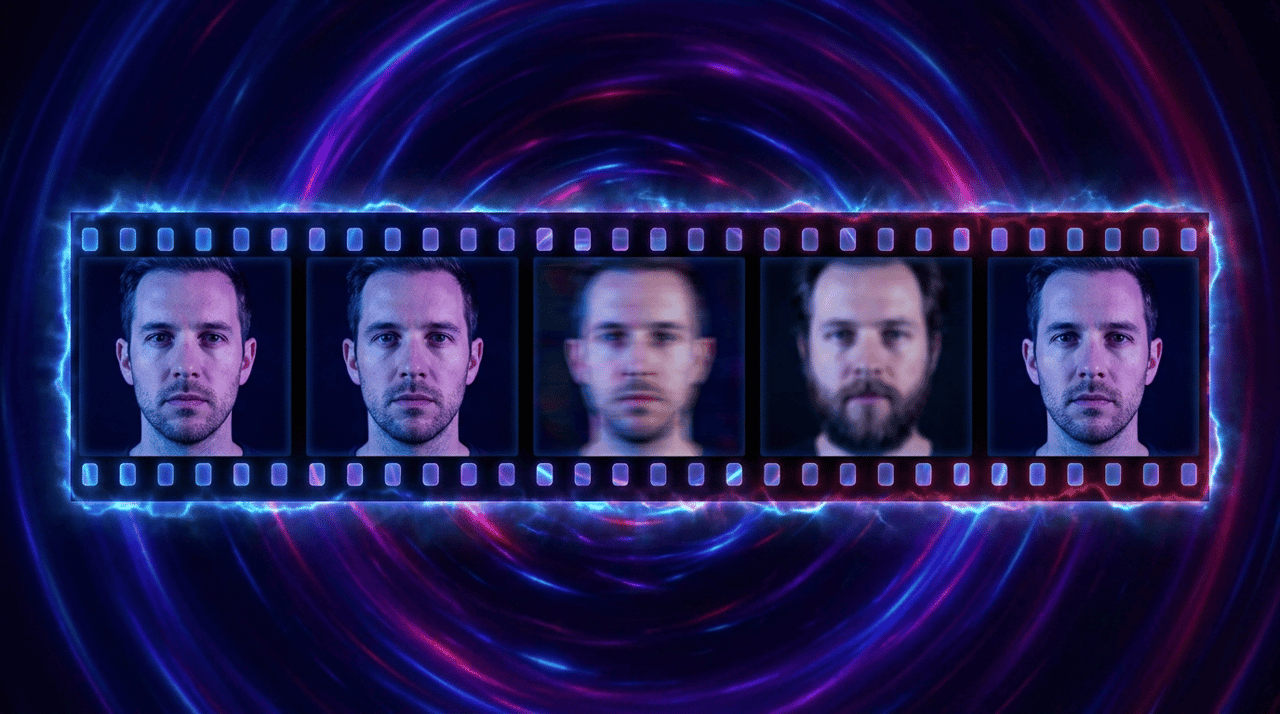
Here is what the hard half looks like in practice. You generate a great image of a character in one tool. Then you take it to a separate video tool to make it move. The face shifts. The lighting changes. The character no longer looks like the same person. You spend an hour fixing what should have been seamless.
Why the handoff breaks
The break happens because the image tool and the video tool do not share context. The image model knows nothing about motion. The video model knows nothing about the exact face you made. So the two systems guess, and the guesses do not match.
Character consistency is the technical name for this challenge. It means keeping the same face, body, and style stable across many frames. Some image tools handle consistency within a set of stills. The harder version is holding consistency when a still becomes moving video, where every new frame is a fresh chance to drift.
How a workflow lens changes the choice
If the image is the end of your work, pick the specialist tool that wins your category. Ideogram for text. Midjourney for art. Recraft for vectors. Each one is excellent at its job.
If the image is the start of finished media, the question changes. Now you care about the whole pipeline, not just the first frame. You care about whether the image carries cleanly into video with the face intact. You care about whether audio, image, and video live in one place or three.
This is the gap a creative agent fills, and it is the gap Hedra was built to close. Instead of asking you to choose a model and manage the handoff, the agent picks the right image model for the brief, generates the still, and carries it into video while holding the character steady, all from one credit balance. The image becomes a means to an end, not the end itself. You can see the full motion side of this on our best AI video generators guide.
Best for X recap
Different jobs call for different tools. Here is the short version, so you can pick fast.
- Best for finished media, not just a still. Hedra, because the image becomes finished video with character consistency held across the handoff, and the agent picks the image model for you.
- Best free option. Stable Diffusion if you have the hardware, or the free tiers of Ideogram, Leonardo, and Canva if you want a hosted start.
- Best for photorealism. Black Forest Labs FLUX, with Midjourney close behind for cinematic looks.
- Best for text in images. Ideogram, with Recraft strong for design typography.
- Best for teams and beginners. Canva for ease, Adobe Firefly for commercially safe enterprise work.
- Best for vector and brand assets. Recraft, which hands you editable vector files.
- Best for artistic quality. Midjourney, the default when the brief says make it beautiful.
- Best for world knowledge and editing. Google Nano Banana.
Match the lane to your work. That is the whole method.
How to choose the right AI image generator
The recap above gives you the short answer. This section walks through how to make the call when your needs are mixed, which they usually are. Most real briefs touch more than one category at once.
Start with the output, not the tool. Ask what the finished thing actually is. A blog header, a product mockup, a logo concept, and a video thumbnail all have different demands. Name the deliverable first, then work backward to the tool.
Step one, decide if the image is the final product
This is the fork in the road. If the image is the deliverable, you can pick a specialist and stop there. If the image feeds something else, like a video or a multi-part campaign, the handoff becomes part of the decision.
Many people skip this step and regret it later. They pick a tool that makes a beautiful still, then discover the still has to become a video, and the two tools do not work together. Decide this first and you avoid the rework.
Step two, name your hardest single requirement
Every brief has one demand that is harder than the rest. For a poster, it is readable text. For a brand kit, it is scalable vectors. For a product hero, it is photorealism. For an enterprise campaign, it is legal safety.
Pick the tool that wins your hardest requirement. The other needs are usually easier to meet, and most tools handle the easy ones well enough. Do not pick a generalist that is mediocre at the one thing you most need.
Step three, match the license to your use
Commercial terms are not a footnote. If you run a business above a certain size, some tools require a higher plan for commercial use. If you face legal scrutiny, indemnification may matter more than image quality. If you need to own the output outright, pick a tool whose license grants that.
The license you need depends on the tool and plan you pick. For ownership, commercial use, or indemnification, choose the tool whose terms already grant it.
Step four, weigh ease of use against control
A powerful tool you cannot operate is worse than a simple tool you can. If you are not a designer and you need results today, lean toward the approachable tools. If you have technical skill and want total control, the open and developer focused tools reward that effort.
There is no prize for using the most advanced model. There is a prize for shipping the thing you needed. Match the tool to your skill, not to its ranking.
When the answer is a workflow, not a single tool
Sometimes the honest answer is that no single image tool fits, because the job is bigger than an image. You need a still, then a video, then audio, and you need them to match. In that case a creative agent that selects the right model per step and carries the work through to finished media is the better fit than any one generator. You can read how we approach that on our image generator page.

Frequently asked questions
What is the best AI image generator in 2026?
There is no single best AI image generator in 2026, because the top tools each lead a different category. Midjourney leads on artistic quality, FLUX on photorealism, Ideogram on text rendering, Recraft on vectors, and Adobe Firefly on commercially safe output. The best choice is the one whose strength matches your job. If the image needs to become a video, a workflow tool like Hedra fits better than a single image model.
Which AI image generator is best for putting text in images?
Ideogram is the best AI image generator for text in images in 2026. Its version 3.0 model renders readable words, signs, and typography with accuracy that other models still struggle to match. Recraft is a strong second for design focused typography. Most other tools, including Midjourney and FLUX, still produce garbled or misspelled text.
Are AI generated images safe to use commercially?
It depends on the tool and your situation. Adobe Firefly trains on licensed and public domain content and offers IP indemnification, which covers legal defense if a third party sues over a generated image. Midjourney grants commercial rights but requires larger companies to use higher plans (Terms.law, 2026). Commercial terms differ widely by tool and model.
What is the best free AI image generator?
For a free hosted start, the free tiers of Ideogram, Leonardo, and Canva let you test real output without paying. For total freedom, Stable Diffusion is free and open source, though you need your own hardware and some technical skill to run it (BentoML, 2026). Free tiers usually limit resolution, daily generations, or commercial use.
Can an AI image become a video?
Yes, but most image generators do not do this themselves. Tools like Midjourney, Ideogram, and FLUX produce a still image and stop there. To turn that image into video you need a workflow that keeps the character and face consistent across the handoff. A creative agent platform like Hedra handles the image and the video in one place, which removes the hardest part of going from a still to finished motion. You can see how this works on our image to video page.
How do I keep a character consistent across many images?
Several tools now help with this. Midjourney offers Omni Reference for character consistency, and Leonardo supports consistent character generation across a set. The harder challenge is keeping a face consistent when an image turns into video. That handoff is where a purpose-built workflow tool matters most, because consistency must hold across both the still and the moving frames.
Do I own the images an AI tool creates?
Usually you own the output on a paid plan, but the rules vary by tool. Leonardo grants paid subscribers full ownership of their images, and the common open Stable Diffusion license grants output ownership to the user. Some tools restrict ownership or commercial use on free tiers. Read the specific license, since ownership and commercial rights are not the same thing.
Key takeaways
- No single tool wins everything. Midjourney leads on art, FLUX on photorealism, Ideogram on text, Recraft on vectors, and Firefly on commercial safety. Pick the lane that matches your job.
- Readable text is most reliable at Ideogram. If your visual needs clean type, start there.
- Commercial rights differ by tool. Adobe Firefly offers indemnification, Midjourney has a revenue based plan rule, and open models depend on the license. Always read the terms.
- The image is often the start, not the end. Most generators stop at a still. If the image needs to become finished video, a workflow tool that carries character consistency across the handoff fits better.
- An agent can remove the choice. Instead of picking among 11 tools, a creative agent like Hedra can select the right model per job and take the image all the way to finished media, holding character consistency across the handoff and billing from one balance.
The market for these tools keeps growing, and new versions ship often (Fortune Business Insights, 2026). Whatever you pick today, expect it to improve and expect new options to appear. The method in this guide outlasts any single ranking. Name your deliverable, name your hardest requirement, match the license to your use, and decide whether the image is the end or the start. That process points you to the right tool no matter how the field shifts.
Hedra makes it possible. What will you create?