How AI Agents Work: The Loop Behind Autonomous Creation
How AI agents work comes down to one repeating cycle. The agent perceives a goal, plans a path, takes an action with a tool, then observes the result and decides what to do next. This loop runs over and over until the work is done.
Most explainers stop at the definition. They tell you an agent reasons and acts, then leave you to picture the rest. We want to do something more concrete here.
We will walk through the loop one stage at a time. Then we will ground it in a single creative-production job, from research to a finished, scheduled video. By the end you will see how the same loop that powers a coding assistant also powers an agent that makes media.
If you want the shorter primer first, our explainer on what an AI agent is covers the basics. This post goes deeper.
What Is an AI Agent and Why the Loop Matters
An AI agent is a software system that takes a goal, breaks it into steps, and uses tools to complete those steps on its own. It does more than answer a single question. It works toward an outcome across many turns.
The simplest chatbot reads your prompt and replies once. An agent keeps going. It reasons about what it learned, decides on the next action, runs that action, then checks the result before moving on.
This is why the loop matters. Without a loop, a model is stuck in one pass. With a loop, the model can research, correct mistakes, and chain many actions into a real result.
According to AWS, an AI agent is "a software program that can interact with its environment, collect data, and use that data to perform self-directed tasks that meet predetermined goals" (AWS, 2025). The key phrase is self-directed tasks. The agent decides the steps.
IBM frames the same idea around autonomy and tools. An agent draws on external tools and APIs to plan and run a workflow from end to end with limited supervision (IBM, 2025). Both descriptions point back to the loop.
The Four Stages of the Agent Loop
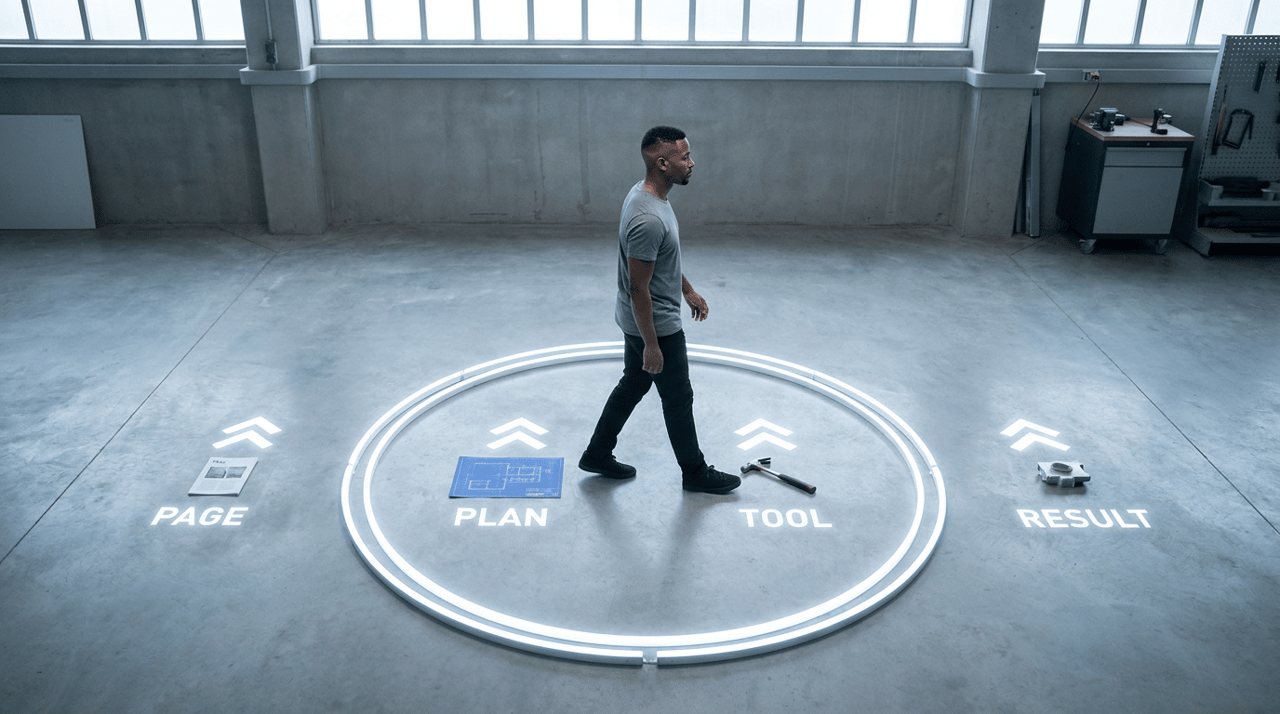
The agent loop has four core stages. Each stage feeds the next, and the cycle repeats until the goal is met.
1. Perceive. The agent reads its inputs. This includes the goal, the current state of its work, and any new data from the last action.
2. Plan. The agent reasons about what to do next. It may write out a short plan or pick a single next step.
3. Act. The agent calls a tool. It might search the web, run code, write to a file, or generate media.
4. Observe. The agent reads the result of that action. It checks whether the step worked and updates its understanding.
After observe, the loop returns to perceive. The agent now sees a richer picture and plans the next move. This repeats until the task is complete or a stop condition is reached.
This pattern is not new in spirit. The classic agent model in computer science describes an entity that perceives its environment and acts on it. What changed is the engine. A large language model now drives the reasoning at each turn.

How Tools and Function Calling Let Agents Act
A tool is an external function or service the agent can call to do something a language model cannot do alone. Search engines, databases, code runners, and media generators are all tools.
On its own, a language model only produces text. It cannot fetch a live web page or write a file. Tools close that gap. They let the agent reach outside its own context and change the real world.
The bridge between the model and a tool is function calling. IBM describes tool calling as the ability of models "to interact with external tools, APIs or systems" by deciding which tool to use and what inputs to pass (IBM, 2025).
Here is how it works in practice. The developer describes each tool to the model, including its name and inputs. When the model decides a tool is needed, it returns a structured request naming the tool and the values to use. The system runs that tool and hands the output back to the model.
That output becomes the next observation in the loop. The agent reads it, reasons again, then decides the next action.
Connecting Agents to Real Systems With MCP
Calling one tool is useful. Connecting an agent to many systems in a standard way is more useful. This is the job of the Model Context Protocol.
The Model Context Protocol, or MCP, is an open standard for connecting AI assistants to the systems where data lives, "including content repositories, business tools, and development environments." Anthropic introduced it as a way to replace one-off custom connectors with a single shared method (Anthropic, 2024).
The value is reach. With MCP, an agent can read and write across connected systems through one consistent interface. It can pull a brief from a document store, post a draft to a project tool, or read a calendar, all through the same protocol.
For a creative agent, this matters a lot. The agent does not just generate a file in a vacuum. It can read your brand notes from one place and write the finished asset back to another. We treat MCP as a core part of how the Hedra agent connects to your stack, so the loop ends in a delivered asset rather than a handoff.

How Memory Keeps an Agent on Track
A long task creates a problem. The agent takes many steps, and it needs to remember what happened earlier. This is where memory comes in.
Agent memory splits into two kinds. Both serve the loop in different ways.
Memory type | What it holds | Where it lives | Lifespan |
Short-term | The current task, recent steps, fresh tool outputs | The model context window or a rolling buffer | One session |
Long-term | Facts, past results, preferences, reference material | An external store such as a vector database | Many sessions |
Short-term memory is the working memory of the agent. It is the recent context the model can see right now. It holds the goal, the last few actions, and the latest observations.
Long-term memory is persistent storage that survives across sessions. As one industry guide puts it, long-term memory "stores information across sessions, surviving system restarts and letting agents build on past interactions over weeks or months" (Redis, 2026).
Long-term memory often uses a vector store. The agent converts text into numerical embeddings, saves them, and later retrieves the most relevant pieces by meaning rather than exact words. This is how an agent can recall your brand voice on a job you started weeks ago.
Memory feeds straight into the perceive stage. Each loop, the agent pulls in what it needs from short-term and long-term memory before it plans. Good memory means fewer repeated mistakes and more consistent output.
How Planning and Reasoning Drive Each Step
The heart of the loop is the plan stage. Here the agent decides what to do next based on everything it has perceived.
Early agents that simply called tools without reasoning were brittle. They had no way to recover when a step failed. The fix was to make the model reason in the open, step by step, before and after each action.
This idea was formalized in the ReAct framework. The 2022 paper "ReAct: Synergizing Reasoning and Acting in Language Models" showed that interleaving reasoning traces with actions beats doing either alone.
The results were concrete. On the ALFWorld task benchmark, ReAct improved the absolute success rate by 34 percent over imitation and reinforcement learning methods. On the WebShop benchmark it improved success by 10 percent (Yao et al., 2022).
The lesson holds today. Reasoning traces help the agent track a plan, handle exceptions, and decide when to stop. Actions let the agent gather facts and change the world. Together they make the loop reliable.
Multi-Step Orchestration
A single tool call rarely finishes a real job. Most goals need many steps in the right order. Orchestration is the work of sequencing those steps and managing the flow between them.
Strong orchestration does a few things. It plans the order of steps. It runs independent steps at the same time when possible. It tracks which steps succeeded and which need a retry.
The Hedra agent plans across multiple steps and can run concurrent tool calls when the work allows. It can research while it drafts, then bring both threads together and carry them through to a finished asset. This is what turns a flat list of tool calls into a coherent workflow. You can save a sequence like this as a reusable Skill and trigger it again with a slash command.

A Worked Example: An Agent That Produces Finished Media
Definitions are easy to read and hard to picture. So here is one job, start to finish. Watch the same loop run through every stage.
The goal we give the agent: research a trending topic in home fitness, then produce a short explainer video with a voiceover and a cover image, and schedule it to publish tomorrow morning.
This is the kind of end-to-end creative job that general explainers skip. We are the only general agent that uses its research to create finished media, so this is where the wedge shows. We will trace it stage by stage.
Step One: Research With Deep Web Search
The agent starts in the perceive stage. It reads the goal and notes what it does not yet know, which is the current trend.
It plans a first action: search the web. It calls a research tool, such as Exa, to run deep web search across recent articles and forum posts. This is the act stage.
The tool returns a set of sources and summaries. The agent observes this output, extracts the leading trend, and saves the key facts to short-term memory. One loop is complete.
Step Two: Read and Write Across Systems With MCP
Now the agent perceives a new question. What does the brand want this video to sound like?
It plans to read the brand brief. Through MCP, it connects to the content store, reads the brand voice notes, and pulls the approved talking points. It can also write back, so it posts a short outline to the project tool for a human to glance at.
The agent observes both results. It now holds the trend, the brand voice, and an approved outline in memory. The picture is richer, so the next plan is sharper.
Step Three: Run Code in a Sandbox
Some steps need real computation, not just generation. Suppose the agent must turn raw numbers from its research into a clean chart for the video.
It plans to write a small script. It runs that script in a sandbox, which is an isolated environment where code executes safely without touching the rest of the system. The act stage here is code execution.
The sandbox returns a chart image and a short data summary. The agent observes the output, confirms the chart is correct, and keeps it for the next stage. If the script had failed, the loop would catch the error and retry.
Step Four: Generate the Finished Assets
This is the stage that sets a creative agent apart. The agent does not stop at a research summary. It uses what it learned to produce finished media, which is the step Hedra is built to close.
It plans the assets it needs: a script, a voiceover, a cover image, and a short video. It then calls the right generation model for each job. A general agent can choose the right model per asset rather than forcing one model to do everything.
The agent writes the script from the outline, produces the audio voiceover, creates the cover image, and generates video using models suited to the brief. It observes each output and checks it against the plan. Hedra brings these steps into one workflow so you can move from research to finished media and revise the results along the way.

Step Five: Schedule Publication With a Cron Task
The last step is delivery. The goal said publish tomorrow morning, not now.
The agent plans a scheduled action. It sets a cron task, which is a job that runs automatically at a set time. The agent registers the publish step to fire at the chosen hour.
It observes the confirmation that the task is scheduled. The goal is now met. The loop reaches its stop condition and ends. A human can review the draft in the project tool before it goes live.
Look back at those five steps. Every one ran the same four-stage loop: perceive, plan, act, observe. The tools changed, but the engine stayed the same. To see more of these patterns in practice, our guide to creative agent workflows has further examples.
Frequently Asked Questions
What is an AI agent in simple terms?
An AI agent is a software system that takes a goal and works toward it across many steps without needing a human for each one. It reasons about what to do, uses tools to act, then checks the results before its next move. A plain chatbot answers once, while an agent keeps going until the job is done.
What are the four stages of the AI agent loop?
The four stages are perceive, plan, act, and observe. The agent perceives its goal and current state, plans a next step, acts by calling a tool, then observes the result. It repeats this cycle until the task is complete.
What is the difference between function calling and an AI agent?
Function calling is the mechanism that lets a model request a tool and pass it inputs. An AI agent is the larger system that uses function calling inside a loop to pursue a goal across many steps. Function calling is one action, while the agent is the full cycle of reasoning, acting, and observing.
How do AI agents remember things?
AI agents use two kinds of memory. Short-term memory holds the current task inside the model context window, while long-term memory stores knowledge across sessions in an external store such as a vector database (Redis, 2026). Long-term memory lets an agent recall facts and preferences from past jobs.
What is the Model Context Protocol and why does it matter?
The Model Context Protocol, or MCP, is an open standard for connecting AI assistants to the systems where data lives (Anthropic, 2024). It matters because it lets one agent read and write across many connected tools through a single shared method instead of a custom connector for each one.
What is the ReAct framework?
ReAct is a method that has an AI agent write out its reasoning and its actions together, step by step. The 2022 paper showed this interleaving improves task success, with a 34 percent absolute gain on the ALFWorld benchmark (Yao et al., 2022). Reasoning helps the agent plan and recover from errors, while acting lets it gather facts and change the world.
Can an AI agent create finished media, not just text?
Yes. A creative agent can run the same loop and end it by generating finished video, image, and audio assets rather than a text summary. It can research a topic, read a brand brief, produce the assets, then schedule them to publish. This is the difference between an agent that only describes work and one that delivers it.
Do AI agents work without any human oversight?
Agents can run many steps on their own, but most production setups keep a human in the loop for review. An agent can draft, generate, and schedule, then pause for a person to approve before anything goes live. This balance gives you speed from the agent and judgment from a person.
Key Takeaways
- The agent loop has four stages: perceive, plan, act, and observe. The agent repeats this cycle until the goal is met, which is what lets it handle multi-step work.
- Tools and function calling let agents act on the real world. Function calling lets the model request a tool, and standards like MCP let one agent connect to many systems at once.
- Memory keeps long tasks on track. Short-term memory holds the current job, while long-term memory carries knowledge across sessions.
- Reasoning makes the loop reliable. The ReAct framework showed that interleaving reasoning with actions improves task success and helps an agent recover from errors.
- The same loop can produce finished media. The Hedra agent runs every stage and closes the loop for creatives, turning its research into a finished asset, from reading and writing across systems to running code, generating assets, and scheduling them, all inside one workflow. If you are comparing options, see our roundup of the best AI agents for content creation.
Hedra makes it possible. What will you create?