Best AI Video Generators in 2026: 9 Platforms Ranked
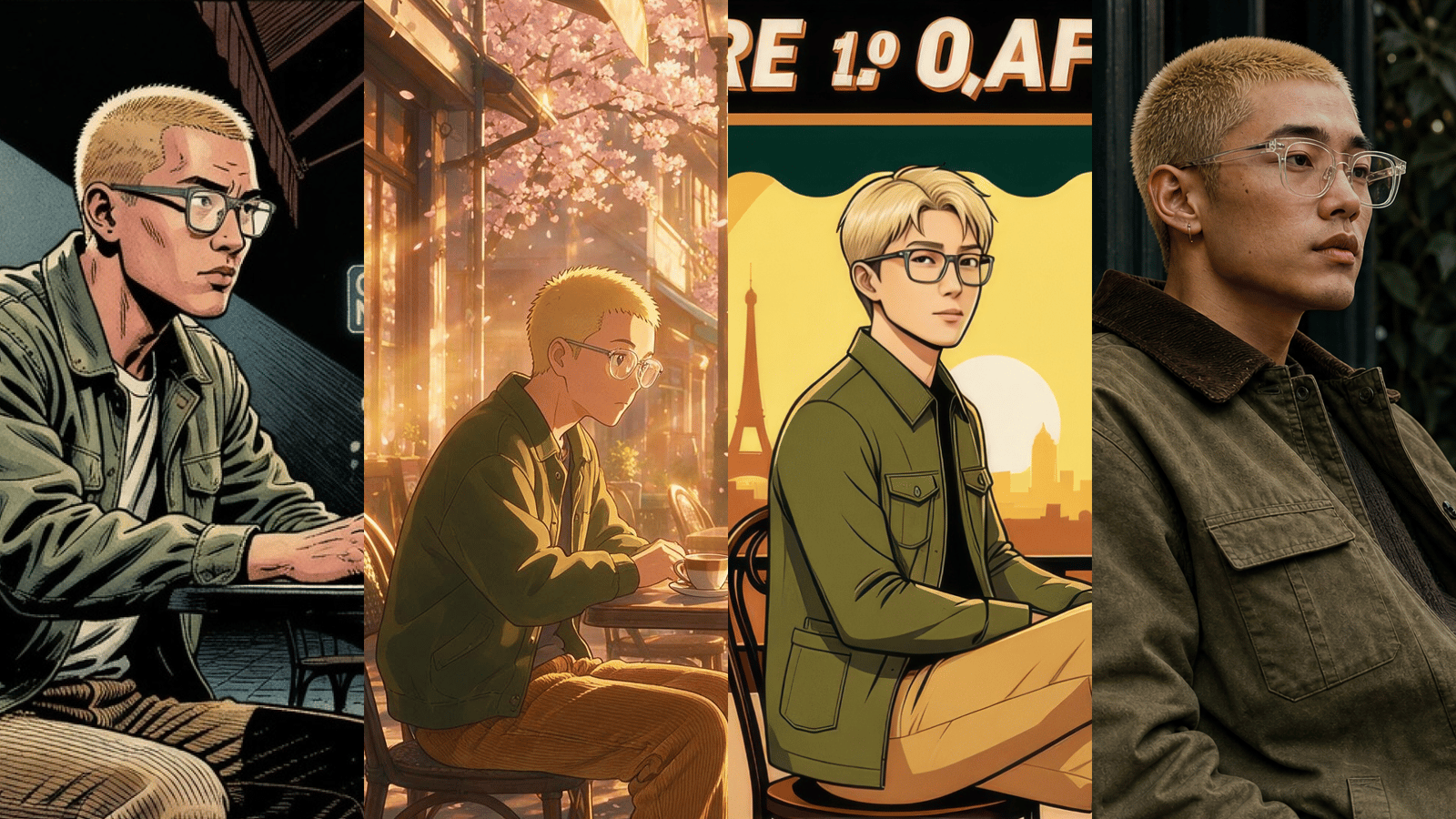
Last updated: July 2026. Living ranking of the best AI video generators (platforms) teams use for production. For underlying engines and independent Elo scores, see the best AI video models.
The best AI video generators in 2026 are platforms — products that turn prompts, images, and scripts into finished clips. That is different from the underlying models (Veo, Sora, Kling, Seedance, Omnia, and others). Models set the ceiling for motion and fidelity. Generators decide whether you can actually ship: workspace design, multi-model access, agents, pricing, and team workflows.
This ranking focuses on generators only. We evaluated platforms teams actually use for ads, social, brand films, and creative production. Nine made the list:
- Hedra
- Dreamina
- FLORA
- Krea
- ComfyUI Cloud
- Runway
- OpenArt
- Kling
- Luma
Considered but not listed: Higgsfield, ImagineArt, InVideo, and Synthesia — see the short section after the ranked tools.
For model-level quality, motion, cost, and Elo comparisons, see our companion guide on the best AI video models. This page answers a different question: which product should you open when you need to produce?
How We Ranked These AI Video Generators
We scored each platform on:
- Workflow — canvas, nodes, timeline, or one-shot generate; how fast you go from brief to usable clip
- Model access — one proprietary stack vs. multi-model choice
- Brand & asset consistency — products, style, reusable elements across shots
- Agent / automation — whether the product helps plan, route models, and iterate
- Commercial readiness — exports, teams, pricing clarity, fitness for marketing work
- Learning curve — time-to-first-good-output for a non-technical creator
We deliberately did not rank raw model physics alone. A great model in a weak product still loses to a strong product with access to several strong models.
1. Hedra — Best Overall: Visual Workspace for Collaborating with AI
Best for: professionals and individuals who want access to the most advanced models; teams that need to work collaboratively; and users looking for a faster, more visual-focused alternative to Claude and ChatGPT.
Hedra is not a video generator in the “prompt box → clip” sense. It is a visual workspace for collaborating with AI, built by a research and infrastructure lab (own inference). Unlike model aggregators that only resell third-party APIs, Hedra runs its own inference — research and infrastructure under the product, not a thin wrapper on someone else’s stack.
Hedra is based in San Francisco and builds models and systems for visual intelligence. The experience is closer to Claude or ChatGPT than to a one-shot “type a prompt, get a clip” tool: you work with an intelligence that can do work on your behalf — research, plan, pull context, connect tools, and produce images, video, audio, and full creative workflows in one place. The point is not only rendering frames; it is getting the job done with teammates in a shared visual surface.
The interface emphasizes multiplayer collaboration and can work asynchronously on projects while your team is offline. There are no nodes to learn. Use it for research, connect MCP tools, reuse brand elements and Skills, and generate with proprietary models on Hedra’s inference plus other leading engines when the job calls for them — without hopping between a playground, an editor, and a separate chat bot.
Why Hedra ranks #1
- Visual workspace, not a clip button — collaborate with AI on real projects; multiplayer and async by design
- Built by a research and infrastructure lab (own inference) — unlike model aggregators; product and lab are the same company
- Intelligence that works for you — plans, iterates, and executes toward an outcome (closer to Claude/ChatGPT than a prompt-only generator)
- Faster, more visual alternative to Claude/ChatGPT — conversation-first, but the artifacts are images, video, and production-ready creative
- No node tax — no Comfy-style graphs required to ship
- Research + tools in the loop — web research, MCP, Skills, and brand context alongside generation
- Teams — built for collaborative production with an enterprise path
Where it fits less well
If you only want a disposable free clip with zero account setup, a lightweight consumer generator may feel simpler for the first five minutes. Pure node power-users who want full graph control may prefer ComfyUI Cloud (or FLORA’s design canvas) as a specialist layer. Pure “pick any API and meter credits” shopping may prefer a pure aggregator. Hedra’s advantage shows up when the job is real work on owned infrastructure: research → creative direction → generation → revision → handoff, with teammates in the loop.
Start here
Product pages: AI image generator · Image to video AI · Text to video AI · Google Veo in Hedra · Nano Banana
Bottom line: Hedra tops this list because it is not a clip generator — it is a visual workspace for collaborating with AI, built by a research and infrastructure lab (own inference), with intelligence that does work on your behalf. Not a model aggregator.
2. Dreamina — Best for Accessible Multi-Model Creation (ByteDance / CapCut)
Best for: creators who want strong Seedance-class video, solid image tools, and a free daily credit path inside a CapCut-adjacent product.
Dreamina is ByteDance’s all-in-one AI creative suite. It packages Seedance 2.0 for video, Seedream for images, Nano Banana-class image tools, digital humans / talking avatars, templates, and trend effects. Free daily credits lower the barrier; paid tiers unlock volume and speed.
Strengths
- High-quality Seedance video motion for social and cinematic short clips
- Unified image + video + avatar workflows without a pure “developer console” feel
- Template and effect library for viral / social formats
- Strong free tier for experimentation
Tradeoffs
- Heavier CapCut / consumer product DNA — less of an agent-led “creative ops” surface than Hedra or FLORA
- Enterprise brand-system and team workflows are less central than marketing polish
- Model choice is curated around ByteDance’s stack more than a full multi-lab catalog
Bottom line: Excellent #2 for creators who want modern video quality fast, especially if you already live in the CapCut ecosystem.
3. FLORA — Best Generative Canvas for Design and Agency Workflows
Best for: designers, brand teams, and agencies that think in nodes, boards, and reusable techniques.
FLORA (Flora Fauna) is an infinite generative canvas with 50+ models, node-based workflows, collaboration, and FAUNA, its creative agent. Teams use it for fashion, advertising, VFX concepting, and brand systems — with reusable Techniques (character lock, logo-to-identity, mood boards, and more).
Strengths
- Best-in-class node canvas for non-linear exploration
- Huge multi-model surface (Veo, Sora, Kling, Seedance, Runway Gen, Flux, and more)
- Strong designer / agency positioning and enterprise story
- Techniques as shareable production recipes
Tradeoffs
- Steeper learning curve than one-prompt generators
- Pricing and seat models can get serious for small solo creators
- Less focused on end-to-end agent production and shipping full campaigns than Hedra
Bottom line: If your team’s bottleneck is workflow fragmentation across many models, FLORA is a top contender. If your bottleneck is collaborative agent-led production on owned infrastructure, Hedra still wins.
4. Krea — Best Realtime Creative Suite for Image + Video Experimentation
Best for: creative explorers who want one subscription across many video models plus realtime enhance/edit loops.
Krea markets itself as a full creative suite: image, video, 3D, enhance, and edit. Video access includes frontier names such as Veo, Sora, Kling, Wan, Runway, Seedance, Luma, Hailuo, and more. Krea also invests in realtime generation and enhancement features.
Strengths
- Broad multi-model catalog under one plan
- Strong “generate, compare, refine” loop for creatives
- Realtime and enhancement tooling beyond pure text-to-video
- Approachable free entry points for testing
Tradeoffs
- Less focused on collaborative agent-led production than Hedra
- Credit math across many models can be opaque at scale
- Team / brand-system features trail specialized agency canvases
Bottom line: Great multi-model playground and creative suite. Choose Hedra when the job is campaigns and collaborative agent work; choose Krea when the job is wide model sampling and realtime craft.
5. ComfyUI Cloud — Best for Maximum Node-Level Control in the Browser
Best for: technical creators, TD-minded designers, and teams that already think in ComfyUI graphs and want hosted GPUs instead of local hardware.
ComfyUI Cloud is the official hosted version of the open-source ComfyUI node engine from comfy.org. You get pre-loaded models, custom nodes, concurrent jobs, and cloud GPUs (including high-VRAM hardware) with credit-based pricing. Build and edit workflows free; credits burn when the GPU runs. Plans start around $20/month (Standard) with higher Creator/Pro tiers for more credits and longer runs.
Strengths
- Full node graph control — every model, parameter, and intermediate step
- Official cloud path for the ecosystem that powers a huge share of advanced image/video pipelines
- Multi-model by design (bring workflows, partner nodes, LoRAs on higher plans)
- Transparent GPU-time style economics vs. opaque “magic unlimited” promos
- Local Desktop + Cloud + API product family if you graduate to production endpoints
Tradeoffs
- Steep learning curve vs. one-prompt generators (this is a toolkit, not a campaign agent)
- Campaign packaging and agent workflows are DIY — this is a toolkit, not a collaborative agent product
- Runtime caps and credit math matter for long video graphs; less “ship an ad from chat” than Hedra
- Collaboration and brand systems lag design canvases (FLORA) and agent products (Hedra)
Bottom line: Best #5 if control is the product. Pair with a higher-level generator (Hedra) when non-technical teammates need agent-led production without touching node graphs.
6. Runway — Best Professional Creative Control Toolkit
Best for: filmmakers and advanced creators who want deep controls, professional features, and a mature creative toolset.
Runway remains the reference pro toolkit: Gen-family video models, motion brush / control features, editing-adjacent tools, and a long track record with studios and serious creators.
Strengths
- Creative control surface (not just prompt → clip)
- Mature product for cinematic and experimental work
- Strong brand among professionals and schools
Tradeoffs
- Often more expensive for high volume than multi-model aggregators
- Agent-led marketing workflows are not the center of gravity
- Character talking-head production is secondary to general generative video
Bottom line: Still essential for control-heavy creative work. For multi-model marketing production with an agent, Hedra ranks higher.
7. OpenArt — Best All-in-One Model Aggregator for Image + Video
Best for: creators who want many top video models (Kling, Veo, Seedance, Sora, Wan, and more) plus image tools, characters, and editing in one consumer-friendly workspace.
OpenArt started as an AI image platform and expanded aggressively into video. It is a classic model aggregator: one library, many third-party engines, characters, audio, and workflow helpers so you can test the same prompt across models without leaving the product.
Strengths
- Broad model menu (e.g. Seedance, Veo, Kling, Sora, Wan, and others depending on plan)
- Image + video + character tools under one roof
- Approachable all-in-one surface for social and marketing creatives
- Easy A/B of models in a single library
Tradeoffs
- Aggregator, not owned inference — unlike Hedra, OpenArt is not running a first-party visual intelligence / inference platform as the core of the product
- Interface can feel crowded (image, video, community, presets, many sub-tools)
- Less multiplayer agent / async “does work for you” depth than Hedra; less node power than ComfyUI Cloud
- Credit and “unlimited” messaging should be read carefully on current pricing pages
Bottom line: Strong #7 if you want a single place to sample many popular models. Choose Hedra when you want a collaborative visual workspace on owned infrastructure; choose OpenArt when aggregation and model-hopping are the main job.
8. Kling — Best First-Party Home for Kling Video Models
Best for: users who want the Kling model family with the fewest layers between them and the lab’s own product.
Kling AI (Kuaishou) ships its own generator around the Kling video line — long known for length, motion, and cinematic looks across successive versions (including 2.x and O-series releases).
Strengths
- Direct access to one of the strongest video model families
- Competitive length and motion quality in many benchmarks
- Simple path when you already know you want Kling specifically
Tradeoffs
- Primarily a model home, not a full multi-model creative OS
- Agent workflows, brand Skills, and cross-lab routing are limited compared with Hedra / FLORA / Krea
- If you need Veo and Kling and a full multi-model workspace, a multi-model generator is more efficient
Bottom line: Outstanding when Kling is the answer. Most teams still benefit from a generator that can call Kling and other models without retooling.
9. Luma — Best for Fast Dream Machine Iterations
Best for: rapid concepting and visually striking short clips with a simple product surface.
Luma Dream Machine / Ray-class models made a name for speed and aesthetics. The product experience is approachable: generate, iterate, export.
Strengths
- Fast iteration loops for concepting
- Strong visual aesthetics for many short-form looks
- Simple onboarding
Tradeoffs
- Narrower multi-model and agent story than the platforms above
- Brand-consistent commercial systems need more glue work
- Less of a full production canvas for agencies
Bottom line: Still useful for speed and look exploration. For production systems, rank it as a model source inside a broader generator rather than your only home base.
Considered but not listed
These tools were in the evaluation set but did not make the ranked nine. They can still be useful for specific jobs — they are just not our default production recommendations.
Higgsfield
Why look: cinematic camera presets, multi-model menu, audio-driven facial animation / talking-avatar tools, draw-to-video (higgsfield.ai).
Why not listed: independent reporting and user reviews about marketing, “unlimited” promotions, throttling/queues, and billing UX make cost predictability hard for teams. We do not assert legal conclusions — review primary sources and current pricing yourself:
- Forbes — “The Dark Side Of AI Video Startup Higgsfield’s Super-Fast Growth” (Feb 2026)
- Pricing write-ups: gstory.ai, imagine.art on Higgsfield pricing
- Anecdotal: YouTube, Reddit
- BBB
If you try it: screenshot plan terms, confirm what “unlimited” covers, prefer monthly until you know real credit burn.
ImagineArt
Why look: ImagineArt is a broad AI creative suite (images, video, voice) with multi-model access — Runway Gen-family, Sora, Veo, Kling, and others depending on plan — plus editing-oriented tools for social and marketing creatives.
Why not listed: solid aggregator surface, but it is not a collaborative visual workspace on owned inference (Hedra’s category), not a pro control toolkit (Runway), and not as node-native as ComfyUI Cloud. Crowded all-in-one suites also overlap heavily with OpenArt and Krea, which already cover that job on the ranked list. Prefer ImagineArt only if its specific model mix or UI fits your habit — not as a default home base.
InVideo
Why look: InVideo positions as an AI video platform for serious creatives with agent-style workflows (“Agent One”), templates, and multi-model generation (e.g. Seedance, Veo, Kling on paid tiers). Strong for marketing, Meta ads, explainers, and long/short form packaging without a traditional NLE.
Why not listed: closer to template + agent video production than to multi-model generative canvas or owned-inference workspace. Great for “turn a brief into a finished social/ad video”; weaker fit for node pipelines or teams standardizing on frontier model control and collaborative visual workspaces. Overlaps marketing-video use cases better served by Hedra (agent + multi-model workspace) or Runway (creative control) depending on the job.
Synthesia
Why look: Synthesia is the established AI avatar / talking-head platform for training, L&D, corporate explainers, and localized presenters. Strong for scripted avatar videos, multi-language delivery, and enterprise compliance workflows.
Why not listed: excellent at avatar presenters from script, but a different category from multi-model generative video workspaces (Hedra, OpenArt, Krea) or pro motion toolkits (Runway). If the job is “hire a digital presenter for training,” Synthesia fits; if the job is open-ended generative video, multi-model campaigns, or agent-led creative production, the ranked nine are a better default. Pure avatar-from-script is Synthesia’s lane; collaborative visual workspaces and multi-model production are the ranked list’s lane.
Bottom line: Higgsfield, ImagineArt, InVideo, and Synthesia are considered but not listed. Start with the ranked nine unless you need camera presets, a preferred suite UI, template-heavy marketing packaging, or enterprise avatar training video.
AI Video Generator Comparison Table
Rank | Generator | Best for | Multi-model | Agent / automation | Strength focus | Learning curve |
|---|---|---|---|---|---|---|
1 | Hedra | Visual AI workspace + owned inference | Yes (own platform + engines) | Strong (agent, multiplayer) | Workspace + inference | Low–medium |
2 | Dreamina | Social / Seedance quality + free credits | Curated ByteDance stack | Light | Social + Seedance | Low |
3 | FLORA | Design / agency canvas workflows | 50+ models | FAUNA agent | Good (via techniques) | Medium–high |
4 | Krea | Realtime creative suite | Broad catalog | Moderate | Moderate | Low–medium |
5 | ComfyUI Cloud | Node-level control / technical pipelines | Full Comfy ecosystem | DIY (graphs, not chat agent) | DIY | High |
6 | Runway | Pro creative control | Own Gen family + tools | Moderate | Moderate | Medium |
7 | OpenArt | All-in-one multi-model image + video | Broad aggregator catalog | Light | Suite / models | Low–medium |
8 | Kling | First-party Kling models | Primarily Kling family | Light | Moderate | Low |
9 | Luma | Fast visual concepting | Focused stack | Light | Moderate | Low |
— | Higgsfield (considered, not listed) | Cinematic presets; see diligence notes | Broad menu | Light | Camera presets | Low–medium |
— | ImagineArt (considered, not listed) | Creative suite / multi-model | Broad aggregator | Light | Moderate | Low–medium |
— | InVideo (considered, not listed) | Marketing / agent video packaging | Multi-model + templates | Agent workflows | Moderate | Low |
— | Synthesia (considered, not listed) | Enterprise avatar / training video | Avatar presenters | Template + TTS | Avatars / L&D | Low |
Generators vs Models (Quick Distinction)
Generator (this page) | Model (companion page) | |
|---|---|---|
What it is | Product / app / workspace | Underlying video engine |
Examples | Hedra, Dreamina, FLORA, Krea, ComfyUI Cloud, Runway… | Veo, Sora, Kling, Seedance, Omnia, Ray… |
You choose it for | Workflow, team fit, multi-model access | Motion, fidelity, length, cost per second |
Failure mode | Great model, chaotic process | Great product, wrong engine for the shot |
Practical rule: pick a generator for how you work; pick models inside it for each shot. Multi-model generators (Hedra, FLORA, Krea, ComfyUI Cloud) win when campaigns need more than one engine.
How to Choose the Right AI Video Generator
Choose Hedra if you make ads, UGC-style spots, or multi-step creative work and want an agent plus multi-model workspace in one place.
Choose Dreamina if you want strong Seedance video and free-credit experimentation with a CapCut-adjacent UX.
Choose FLORA if your team is design-led and thinks in nodes, boards, and reusable techniques across many models.
Choose Krea if you want a wide model menu with realtime enhance/edit loops.
Choose ComfyUI Cloud if you want maximum node-level control and already (or want to) build Comfy graphs without owning GPUs.
Choose Runway if control tools and pro creative features matter more than multi-lab aggregation — with a more guided UI than raw Comfy.
Choose OpenArt if you want a consumer all-in-one aggregator to try many video/image models in one library.
Choose Kling / Luma if you already know you want that model family and prefer the first-party app.
Higgsfield, ImagineArt, InVideo, and Synthesia were considered but not listed — see that section for camera presets, suite UIs, marketing packaging, or enterprise avatar/training video.
What to Look for When Evaluating AI Video Generators
- Can you keep style and assets consistent across shots without starting over?
- Can you switch models without exporting a zoo of files?
- Is there an agent or workflow layer, or only a prompt box?
- Credits vs seats — do you understand cost at campaign volume?
- Team features — brands, permissions, shared assets?
- Commercial use — license clarity for client work?
- Export path — resolution, audio, and edit handoff?
Frequently Asked Questions
What is the best AI video generator in 2026?
For most professionals and teams we rank Hedra first — with the caveat that Hedra is not a clip generator. It is a visual workspace built by a research and infrastructure lab (own inference), closer to Claude/ChatGPT than a prompt-only tool. Among pure generators, Dreamina, FLORA, and ComfyUI Cloud are the strongest alternatives depending on free-credit social creation, design canvases, or node control. For engine-level quality, see the best AI video models.
What is the difference between an AI video generator and an AI video model?
A model is the engine that synthesizes pixels and motion. A generator is the product around it — UI, credits, canvas, agents, and team features. Many generators host multiple models. Ranking generators and models separately avoids comparing “Veo” to “Hedra” as if they were the same kind of thing. Full model ranking: best AI video models.
Which AI video generator is best for beginners?
Dreamina and Hedra are the friendliest starts: clear create flows and free tiers. FLORA is more powerful for teams but takes longer to learn. Avoid optimizing only for “free unlimited” offers — credit fine print usually dominates.
Which AI video generator is best for marketing teams?
Hedra for agent-led production and collaborative visual work; FLORA for design/agency systems; Dreamina for high-volume social experimentation; ComfyUI Cloud for technical pipeline control. Runway fits teams with dedicated motion designers who want guided pro tools without full Comfy graphs.
Do I need multiple AI video generators?
Usually no. Prefer one multi-model generator as home base, then add a first-party app only if a specific model is unavailable or cheaper there. Tool sprawl is the main hidden cost in 2026.
Can AI-generated videos be used commercially?
Most major platforms offer commercial tiers, but terms differ by plan and model. Always check the license for the specific model and subscription. When in doubt, use paid business tiers and keep generation logs for client work.
How much do AI video generators cost?
Expect free tiers with daily caps, creator plans roughly in the tens of dollars per month, and team/enterprise pricing that scales with seats and credits. Multi-model platforms bill by credits per second/model; first-party apps may feel simpler but lock you into one stack.
Key Takeaways
- Generators ≠ models. Rank products for workflow; rank models for shot quality.
- 2026 recommended ranking: Hedra → Dreamina → FLORA → Krea → ComfyUI Cloud → Runway → OpenArt → Kling → Luma.
- Hedra leads overall: visual workspace for collaborating with AI, built on owned inference — not a model aggregator or clip-only tool.
- Dreamina is the best mass-access alternative; FLORA wins design/agency canvas workflows; Krea wins broad creative-suite experimentation; ComfyUI Cloud wins maximum node control.
- Higgsfield, ImagineArt, InVideo, and Synthesia were considered but not listed — useful for narrow jobs; not the default nine.
- Pick one home generator, then choose models per shot — don’t rebuild your process for every new release.