Enhance a photo with AI by naming what is wrong with it.
The resolution is fine. The rendering is not — a cast, a blown flash, shadows with nothing in them. Say which of those to fix and get the same photograph back, correctly rendered.
Three faults named one by one: the colour cast, the blown highlights, the crushed shadows. Switch back and watch the right-hand side of the room disappear again.
Enhancement regenerates the frame rather than adjusting sliders on it, so skin texture and fine fabric can soften. Name what must not change, and compare before you keep it.
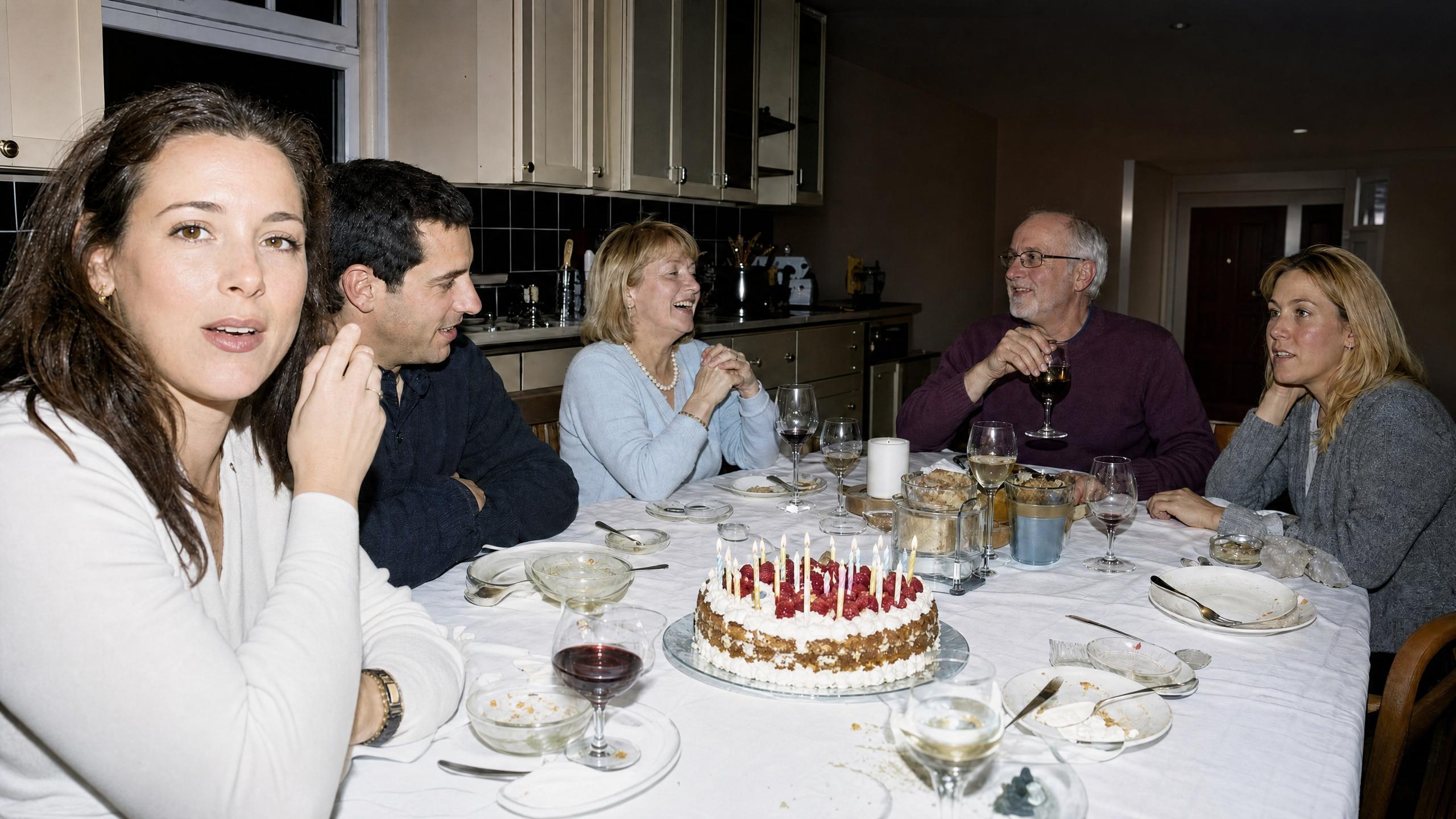
The photo is the right size. It is just wrong.
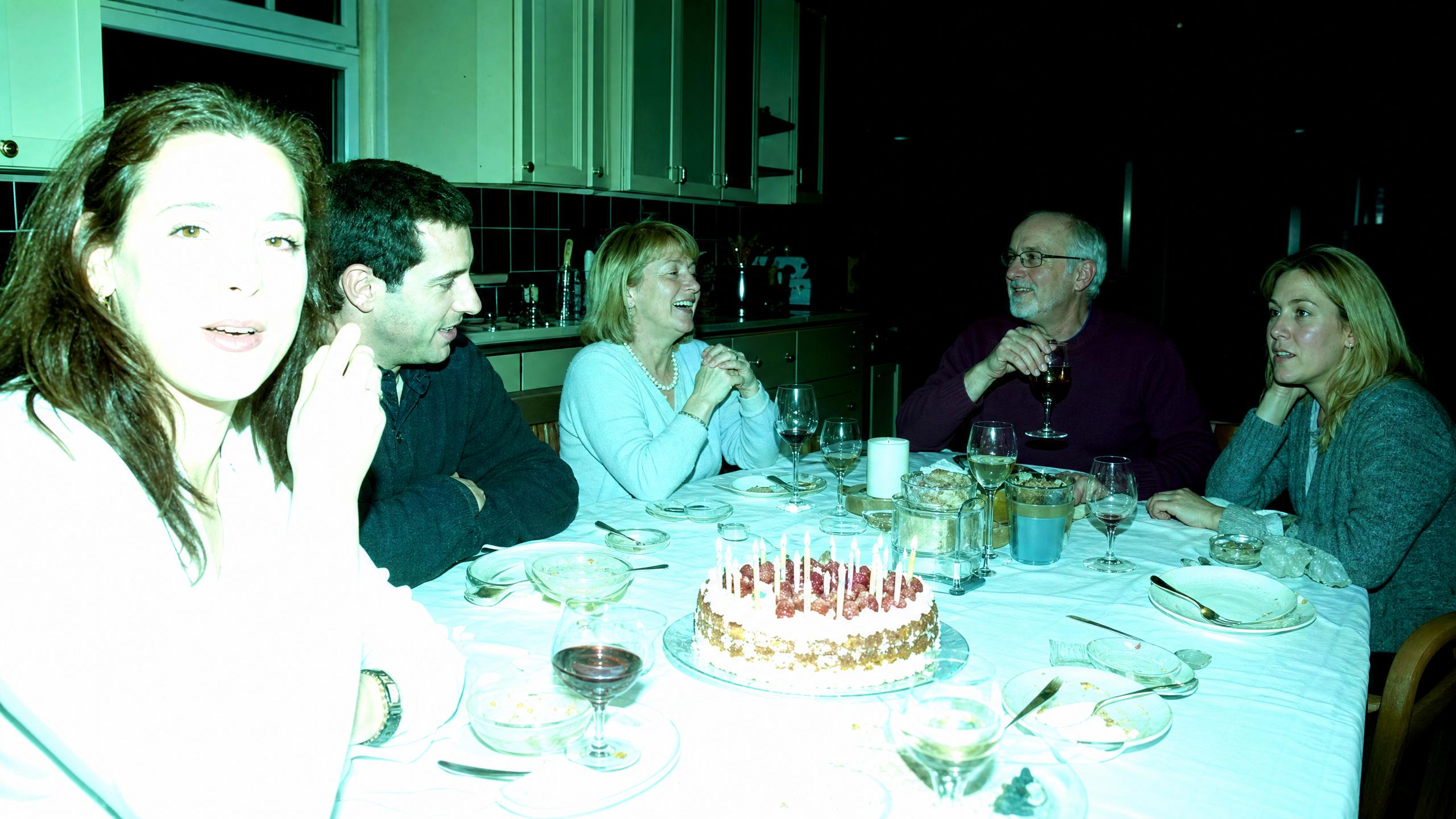
“Fix it” gets you an opinion.
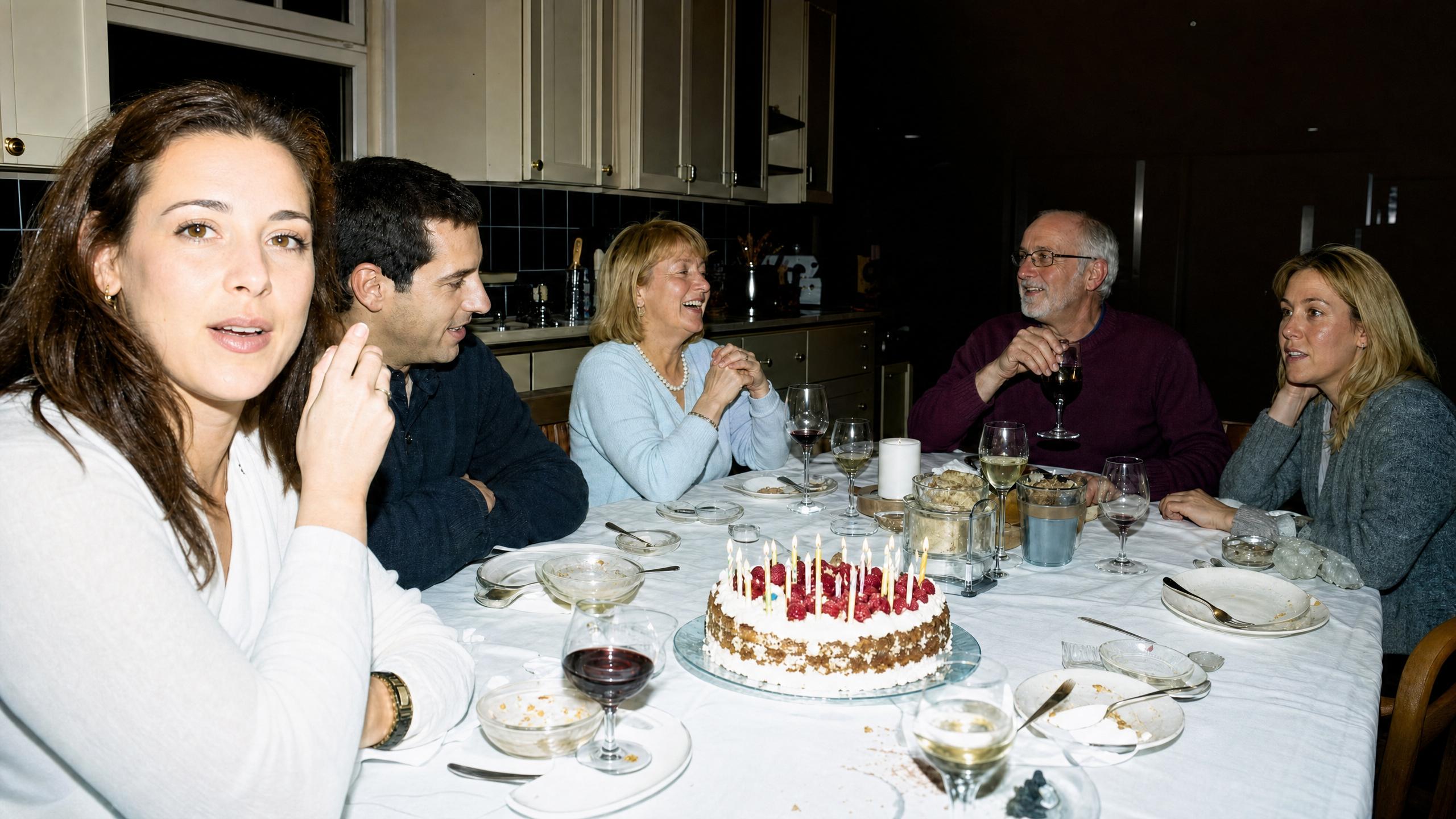
Same photograph, same model, three instructions. “Fix this photo” is not useless — it neutralised the cast and left most of the shadow recovery undone, because nothing told it that the dark right-hand side was a fault rather than the mood. Naming the three faults individually got all three addressed. The difference is not quality, it is control.
Name the fault and it stays your photograph.
Nobody in this frame moved. Same five faces, same expressions, same cake, same glasses — what changed is that the white tablecloth is white, the nearest face has skin instead of a flare, and a doorway that was solid black is a doorway again. That is a correction. Anything more than that is a different picture.
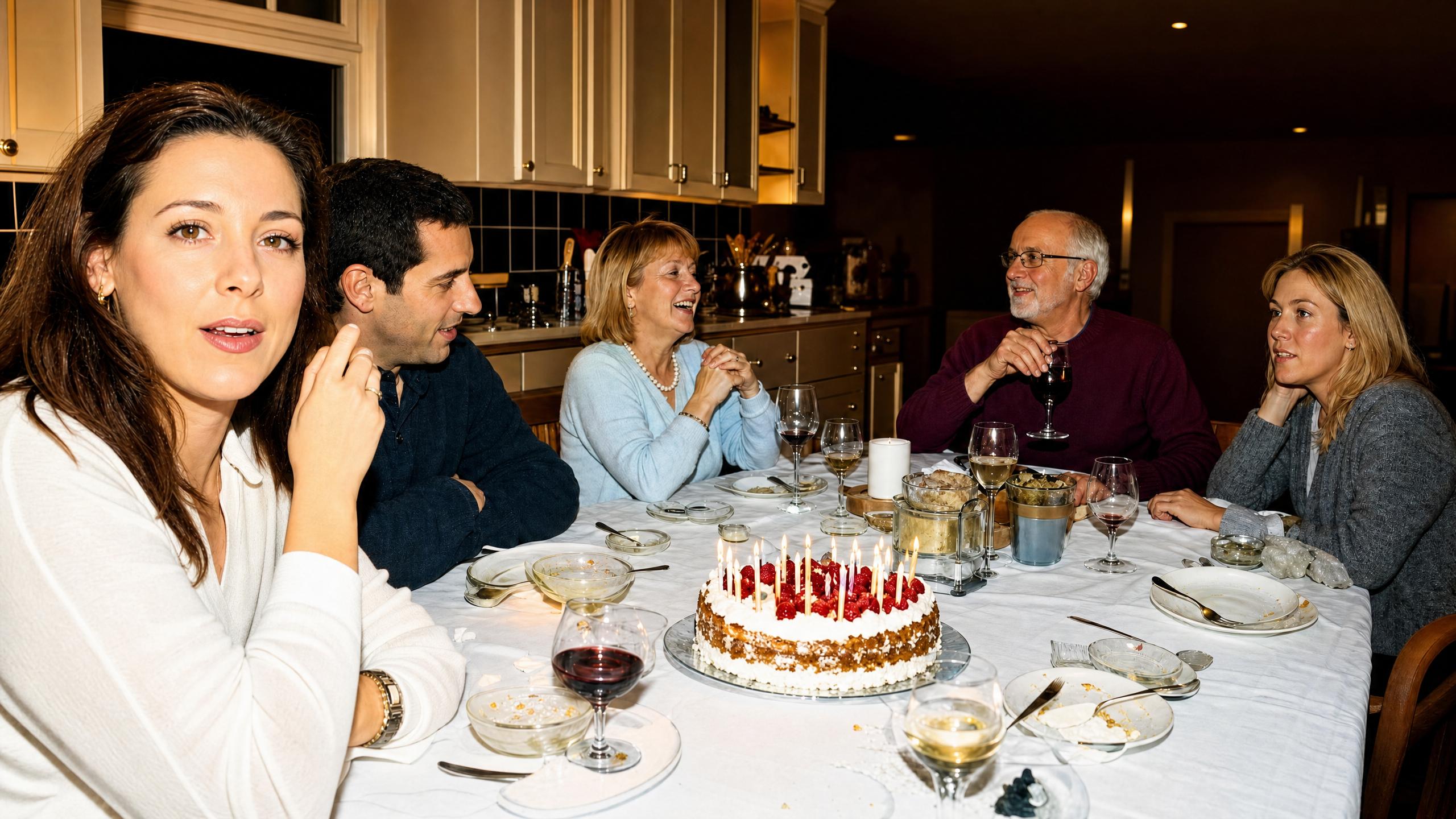
Ask for perfect and you get someone else’s photograph.
This is the same frame asked to look “completely professional and perfect”. It did not break — that is the problem. It came back warmer, smoother and more generic: the cool overhead light this kitchen actually had is now golden, and the skin has been tidied. A correction you cannot tell from a grade is how a family photo quietly stops being a record of anything.
Every model that corrects a photograph.
Built for visual inference.
Serving video is a different problem from serving text — a single request can saturate a GPU, and none of the tricks that made language models cheap apply. Hedra's engine was built for exactly that workload.
Whichever model you choose — ours or anyone else's — it runs on the same infrastructure, behind one key, priced per generation. Which is what makes the honest workflow affordable: send the same photograph to two models with the same instruction, keep the one that corrected without redecorating.
Generate with API or Agent
Build with the API
One key, every editing model. Send the photograph and the faults, get the photograph back.
Enhance one now.
No code — drop in the photo, name what is wrong, compare before you keep it.
FAQs
The faults, one at a time, in the language you would use to a retoucher: the cast, the blown highlights, the crushed shadows, the noise. “Fix this photo” does return something — it just picks which problems to care about, and on this page it skipped the shadows entirely.