Hedra
  • Developers
  • Inference
  • Studio
  • Enterprise
Log inSign Up
Open Hedra
Your account
    Explore
  • Home
  • Developers
  • Inference
  • Studio
  • Enterprise
    Log inSign Up
    Open Hedra

Upscale an image with AI, without inventing it.

Take a small, noisy, over-compressed photograph to 4K — and choose how much the model is allowed to add while it does. For archives, print, catalogues, and the tools inside your own product.

Start building nowUpscale an image — no code
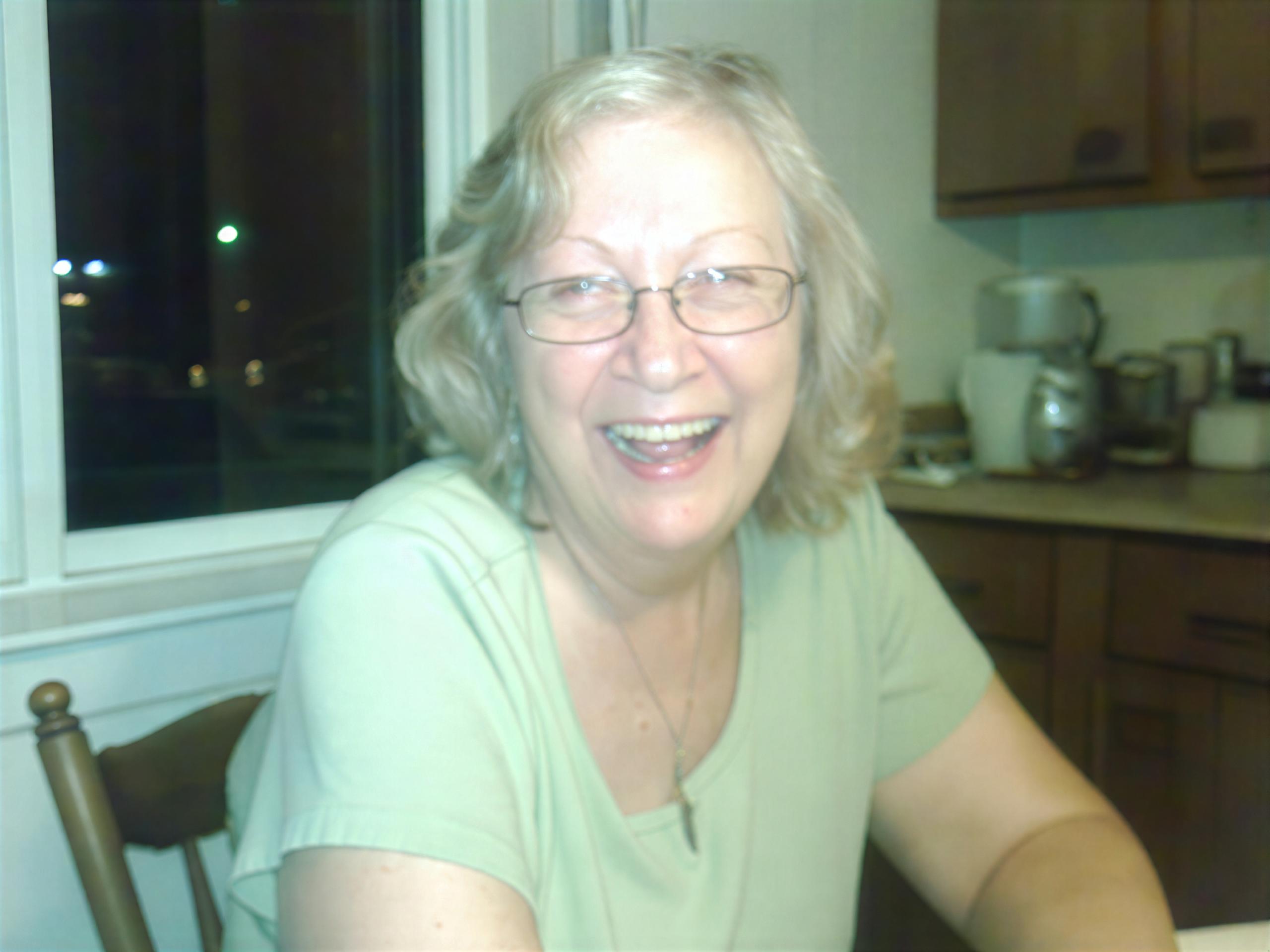
Photograph in

A 1024 × 768 snapshot with flash, noise and JPEG blocking, taken to 4K. Switch back to the original to see how little there was to work from.

Compare Original and Upscaled

This one has face recovery on, which is the largest single change an upscaler makes to a person. Measured against the source it moves the face further than the choice of model does — so it is a decision, not a default.

Upscaled photo of a laughing gray-haired woman in glasses seated by a kitchen window at night
Topaz Gigapixel · 2880 × 2160

Recovering detail and inventing it are different jobs.

Slightly soft photo of a smiling gray-haired woman in glasses and a green top in a kitchen
TOPAZ GIGAPIXEL · 4K · RECOVERY OFF

More pixels is the easy part.

This is the same photograph at 4K with nothing reconstructed: the colour noise is gone, the JPEG blocking is gone, the edges are clean. What has not happened is a miracle — her eyes are still soft, because they were soft in the original and no honest upscale can decide what they looked like. For an archive, a legal exhibit or a product shot, that restraint is the feature.

Slightly soft photo of a smiling gray-haired woman in glasses and a green top in a kitchen
Upscaled photo of a laughing gray-haired woman in glasses seated by a kitchen window at night
Sharpened photo of a laughing gray-haired woman in glasses and a green T-shirt in a kitchen
GIGAPIXEL · OFF / RECONSTRUCT / REIMAGINE

Then you decide how much to add.

Three faces, one upscale, three settings: recovery off, recovery on reconstructing, recovery on reimagining. Measured against the original, turning recovery on at all moves the face more than either later dial does — and the two recovered versions differ from each other about as much as either differs from the source. The dial is not a fidelity slider. It picks a different face.
High-detail upscaled photo of a laughing gray-haired woman in glasses at a kitchen table
TOPAZ WONDER · 4K · STRENGTH HIGH

When the whole frame has to hold up.

Faces are not the only thing in a photograph. The generative tier improves everything at once — the cabinet hardware, the weave of the shirt, the pendant on the chain — and when we measured it, it stayed closer to the source than a face-recovered pass did. It costs three times as much per megapixel, which is the right trade when the print is large and the background is not allowed to turn to mush.

Upscale it — or render it large to begin with.

TopazTopazTopaz GigapixelTopaz Wonder
GoogleGoogleNano Banana Pro · 4KNano Banana 2 · 4K
ByteDanceByteDanceSeedream 4.5 · 4KSeedream 4.0 · 4KSeedream 5.0 Lite · 4K
Black Forest LabsBlack Forest LabsFlux 1.1 Ultra
OpenAIOpenAIGPT Image 2.5 Flare · 4KGPT Image 2.5 Sunburst · 4K
See all models →

Built for visual inference.

Serving video is a different problem from serving text — a single request can saturate a GPU, and none of the tricks that made language models cheap apply. Hedra's engine was built for exactly that workload.

Whichever model you choose — ours or anyone else's — it runs on the same infrastructure, behind one key. Upscaling is priced by megapixels of output rather than by the second, so a back catalogue costs what it renders, and switching between the faithful tier and the generative one is a parameter rather than a migration.

Generate with API or Agent

Build with the API

One key, both tiers. Point it at an archive and set the recovery flags per image.

Start building now

Upscale one now.

No code — drop in the photo, pick the tier, compare the two before you commit.

Create with Agent

FAQs

If fidelity is the point — archives, evidence, product detail — use Gigapixel with face recovery off: it diverged least from the source when we measured it, and it is the cheaper tier. If a person needs to look good, turn recovery on and know that this is the biggest single change you are making. If the whole frame matters, especially for large print, use Wonder.

Image models →

It can, and whether it does is mostly your choice. An upscale with no face recovery cleans noise and sharpens edges without deciding what a blurred eye looked like. Turn recovery on and the model is reconstructing a face from very little — which usually looks better and is no longer purely evidence of the original.

Not what the name suggests. We measured both ends against the source: the high setting came back no further from the original than the low one, yet the two differ from each other about as much as either differs from the source. It selects a different reconstruction rather than controlling how far one strays — so treat it as a second opinion, not a dial.

Both Topaz tiers take the short edge to 1080p, 2K or 4K, with the long edge following the source aspect ratio. The 1024 × 768 snapshot on this page came back 2880 × 2160.

That is the generative tier’s stated strength — it is built for realistic detail, precise text and clean graphics, where a faithful upscale tends to leave lettering soft. Each model page carries what it is tuned for.

Browse all models →

By megapixels of output, in 24 megapixel blocks, with a partial block billed whole — 8¢ for the faithful tier and 24¢ for the generative one. Each model page carries its own rate.

See model pricing →

No — Hedra Studio runs the same models on the same engine with nothing to build. Drop in the photo, pick the tier, compare the two before you commit.

More you can do with Hedra

Blurry low-resolution photo of a smiling gray-haired woman in glasses sitting at a kitchen table at night
Fix what is wrong, not just what is smallAI PHOTO ENHANCER →
High-detail upscaled photo of a laughing gray-haired woman in glasses at a kitchen table
Do the same for footageAI VIDEO UPSCALER →
hedra keys create
→ sk-hedra-••••••••
Run an archive through itDEVELOPER PLATFORM →

Make it bigger, honestly.

Start building nowUPSCALE AN IMAGE NOW — NO CODE →
Hedra
Hedra

Product

DevelopersStudioEnterpriseInferencePricing

Resources

Agent documentationDeveloper documentationBlogUse CasesModelsFeedbackChangelogStatus

Company

AboutCareersContactBuilder programSupportAlternatives

Legal

Privacy PolicyTerms of useAcceptable useCookie PolicyBiometric data policy
LinkedinInstagramDiscord
support@hedra.comHedra 2026 — All rights reserved