How to Make an AI Video: A Complete Guide for Creators
What once required cameras, lighting rigs, editing software, and weeks of production time now happens in minutes from a browser.
The shift is not theoretical.
The global AI video generator market was valued at approximately $638 million in 2024 and is projected to reach $2.6 billion by 2032, growing at a compound annual growth rate of 19.5% (Credence Research, 2025).
This guide walks through every step of creating an AI video, from choosing the right generation method to writing effective prompts, selecting models, and refining your output for professional results.
Whether you are a solo content creator producing daily social clips or a marketing team scaling video across campaigns, the process follows the same core principles.
Why AI Video Has Become Essential for Content Teams
The numbers behind video marketing tell a clear story.
According to Wyzowl's annual survey, 89% of businesses now use video as a marketing tool, and 93% of marketers report positive return on investment from their video efforts (Wyzowl, 2025).
Traditional video production creates a bottleneck. Filming requires scheduling, equipment, and talent. Editing demands specialized software skills. Localization into multiple languages multiplies the cost and timeline.
AI video generation removes these barriers by converting text, images, and audio into finished video content through automated workflows.
The result is a fundamental shift in who can produce video and how quickly they can do it. A product marketer can go from a feature brief to a published video in an afternoon.
A sales representative can create personalized outreach between meetings. An educator can produce an entire course series without booking a single studio session.
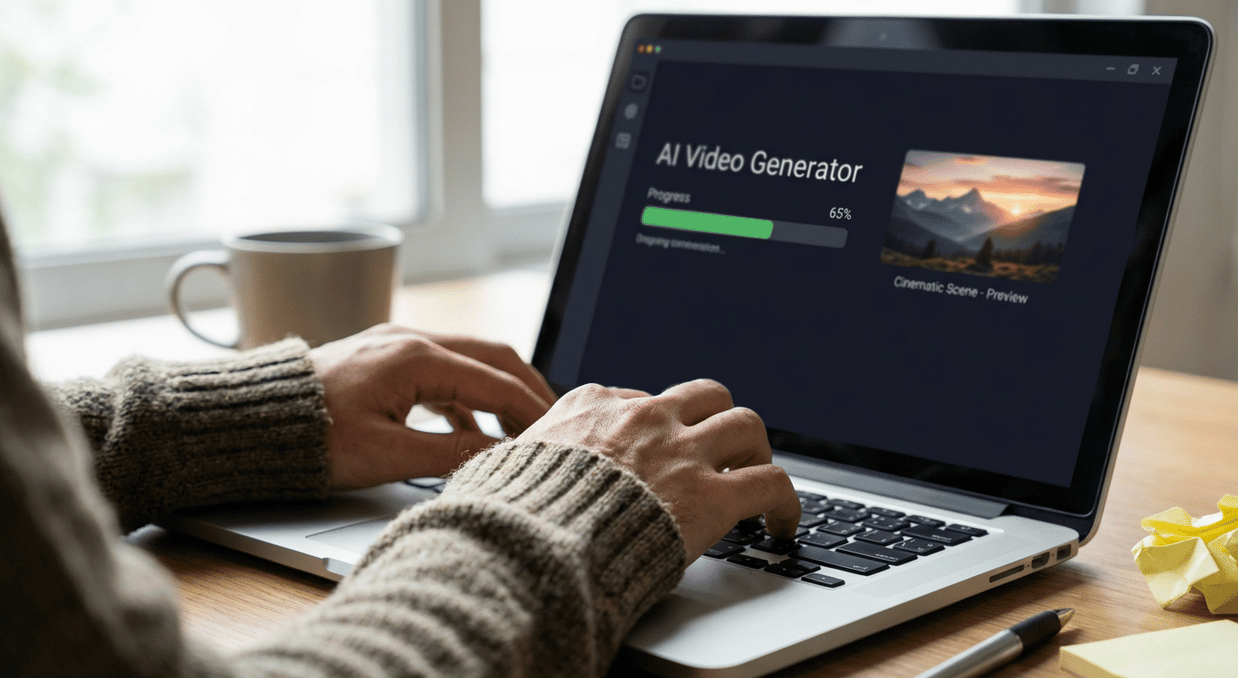
Three Core Methods for Making AI Video
AI video generation is not a single technology. It is a collection of approaches, each suited to different creative goals and starting materials. Understanding these methods is the first step toward choosing the right workflow for your project.
Text to Video
Text-to-video generation starts with a written prompt. You describe the scene, subject, mood, and visual style you want, and the AI model generates a video sequence from scratch. This method works best when you do not have existing visual assets and need to create something entirely new.
When to use text to video:
- Product concept visualizations before a photoshoot
- Abstract or imaginative scenes that would be expensive to film
- Social media content that needs to be produced quickly at scale
- Storyboarding and rapid prototyping for creative campaigns
Prompt example: "A ceramic coffee mug sitting on a wooden table, morning light streaming through a window, gentle steam rising, slow camera dolly forward, warm colour palette, cinematic depth of field."
Image to Video
Image-to-video generation takes a still photograph or illustration and brings it to life with motion. The AI analyzes the composition, subject matter, and visual context of the image, then generates realistic or stylized movement. This is the most popular method for creators who already have strong visual assets.
When to use image to video:
- Animating product photography for e-commerce listings
- Bringing brand illustrations or mascots to life
- Creating motion from portrait photos for social content
- Turning static ad creatives into video ad formats
Audio to Video
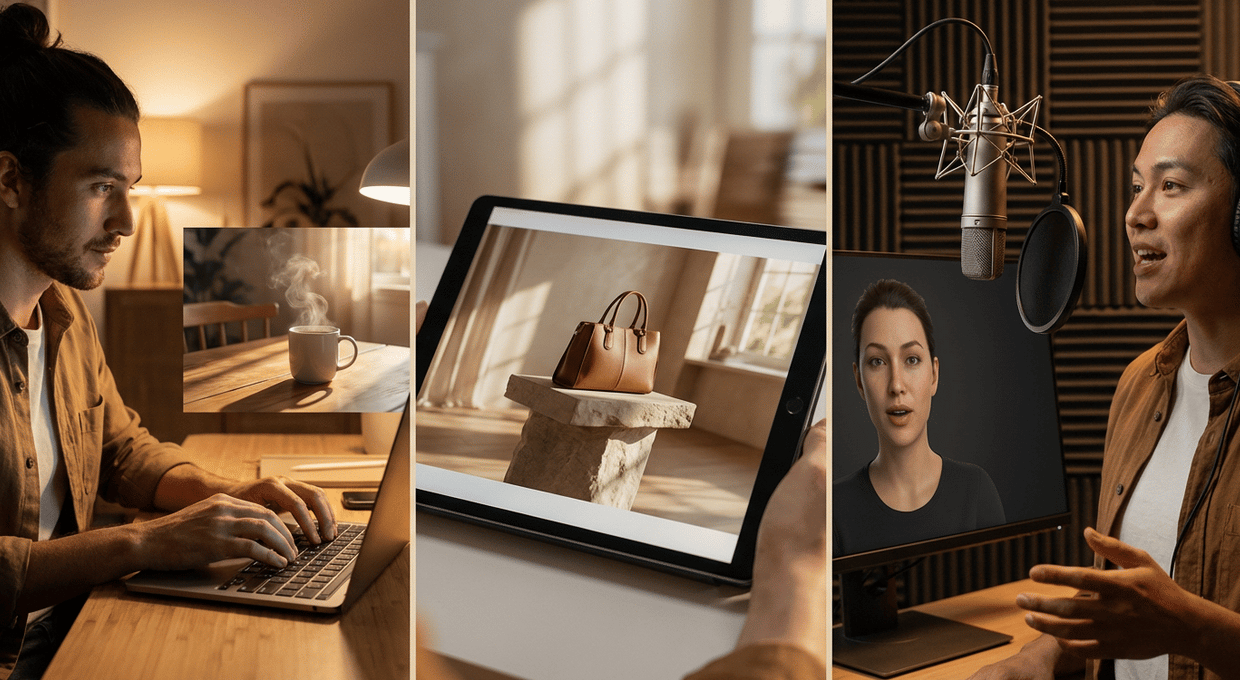
Audio-driven video generation uses speech, music, or sound effects as the foundation. The AI synchronizes visual content to the audio track, creating audio-driven facial animation video with matching mouth movements and expressions when working with speech, or generating mood-matched visuals when working with music.
When to use audio to video:
- Podcast clips that need a visual component
- Training and learning content with narrated voiceovers
- Music visualizers and promotional clips
- Multilingual content where the same video needs different audio tracks
How to Write Effective AI Video Prompts
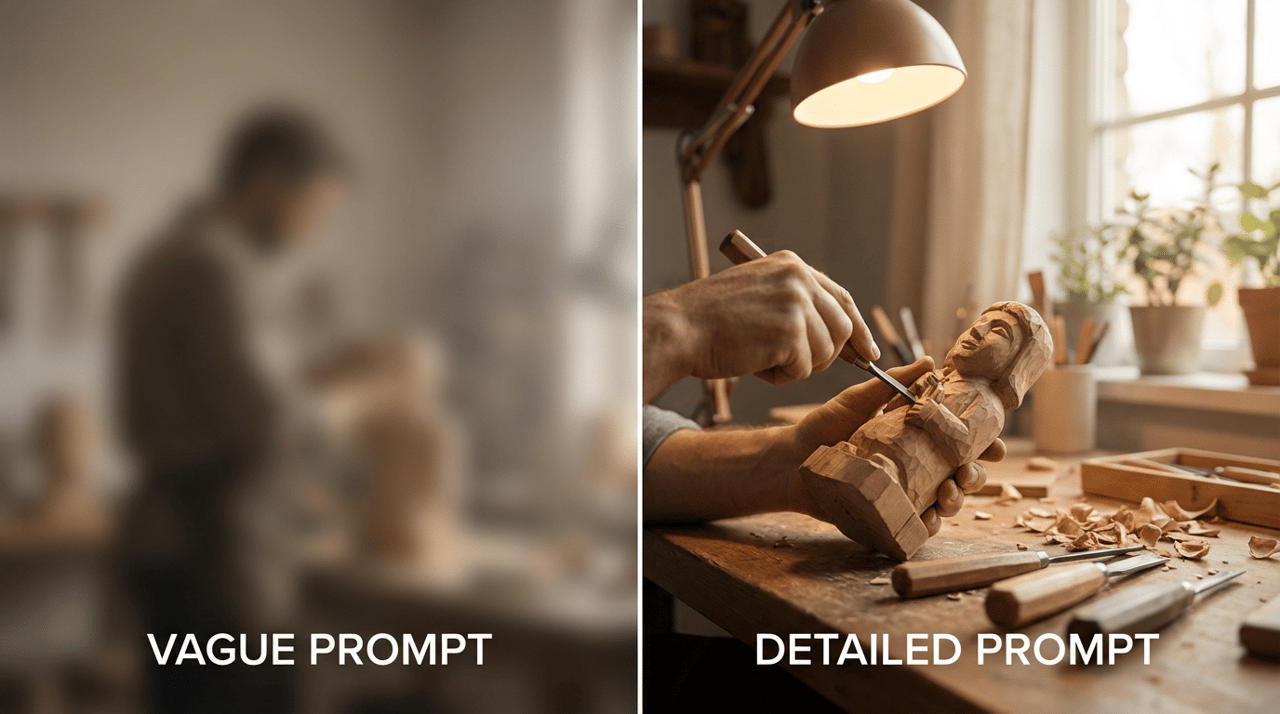
The quality of your AI video output depends heavily on the quality of your input prompt. A vague prompt produces generic results. A detailed, well-structured prompt produces video that aligns with your creative vision. Here is how to write prompts that consistently deliver strong results.
Structure Your Prompt in Layers
Effective prompts address five distinct layers of information. Think of each layer as adding specificity that narrows the AI model toward your intended outcome.
Layer | What to Describe | Example |
Subject | The main focus of the scene | "A woman in a navy blazer" |
Action | What is happening | "Walking through a modern office lobby" |
Environment | The setting and background | "Glass walls, natural light, indoor plants" |
Camera | Shot type and movement | "Medium shot, slow tracking shot from left to right" |
Style | Visual tone and mood | "Clean, corporate, warm colour grading, shallow depth of field" |
Prompting Mistakes to Avoid
Overloading a single prompt. AI video models process information sequentially. Cramming too many actions, subjects, and scene changes into one prompt produces confused output. Keep each prompt focused on a single scene or moment.
Using vague descriptors. Words like "good," "nice," or "interesting" give the model no useful information. Replace them with specific visual language: "soft diffused lighting," "high contrast shadows," "muted earth tones."
Ignoring camera direction. Without camera instructions, the AI defaults to a static or random camera angle. Specifying shot type (close-up, wide, medium) and movement (pan, dolly, static) dramatically improves the cinematic quality of your output.
Skipping style references. If you have a specific visual aesthetic in mind, reference it directly. "Documentary style," "product photography lighting," or "animated illustration style" all give the model a clear target.
Choosing the Right AI Video Model
Not all AI video models produce the same results. Different models excel at different tasks, and selecting the right one for your project saves time and produces better output.
Model Selection Criteria
When evaluating which model to use, consider these four factors:
- Output quality. Does the model produce smooth, realistic motion? Are faces and hands rendered accurately? Does the output hold up at your target resolution?
- Prompt adherence. How closely does the generated video match your written description? Models with strong prompt adherence require fewer regeneration cycles.
- Speed. How long does generation take? For high-volume production workflows, generation speed directly impacts your team's throughput.
- Specialization. Some models handle character animation well but struggle with landscapes. Others produce excellent product shots but weak human motion. Match the model to your content type.
Understanding Model Capabilities
The AI video landscape includes multiple model families, each with distinct strengths. Character-centric models jointly process image, text, and audio to generate expressive, performance-driven video with natural facial movements and body language.
These are ideal for content featuring people, such as talking character videos, UGC-style ads, and training content.
General-purpose video models handle a broader range of scenes, from product shots to landscapes to abstract visuals.
They tend to offer more flexibility in camera control and scene composition but may lack the expressiveness of character-focused models.
Step-by-Step Workflow for Making AI Video
With the fundamentals covered, here is a practical workflow you can follow from start to finished video. This process applies regardless of which specific tool or model you use.
Step 1: Define Your Creative Brief
Before opening any tool, clarify these four elements:
- Objective. What is this video for? Social media, product page, sales outreach, training?
- Audience. Who will watch this? Their expectations shape your visual style and tone.
- Format. What aspect ratio and length do you need? Vertical 9:16 for Reels and TikTok, horizontal 16:9 for YouTube and websites, or square 1:1 for feed posts?
- Key message. What single idea should the viewer take away?
Step 2: Prepare Your Source Materials
Gather any assets you will use as inputs:
- Text prompts. Write and refine your prompts using the layered structure described above.
- Reference images. If using image-to-video, select high-resolution images with clean backgrounds and clear subjects. The quality of your input image directly affects the quality of your output video.
- Audio files. For audio-driven generation, prepare clean audio with minimal background noise. If using text-to-speech, finalize your script before generating the voiceover.
Step 3: Generate Your First Draft
Run your first generation and evaluate the output against your creative brief. Do not expect perfection on the first attempt. AI video generation is an iterative process.
Evaluation checklist for your first draft:
- Does the subject match your description?
- Is the motion smooth and natural?
- Does the camera angle and movement serve the content?
- Is the visual style consistent with your brand?
- Are there any visual artifacts or distortions?
Step 4: Refine and Iterate
Based on your evaluation, adjust your inputs:
- Modify the prompt. Add specificity where the output missed your intent. Remove conflicting instructions.
- Try a different model. If the current model is not producing the look you need, test an alternative. Different models interpret the same prompt differently.
- Adjust generation settings. Parameters like motion intensity, camera stability, and style strength can fine-tune results without rewriting your entire prompt.
Step 5: Post-Production and Enhancement
AI-generated video often benefits from light post-production:
- Upscaling. Use AI video upscaling to increase resolution for large-screen playback or high-quality exports.
- Colour grading. Apply consistent colour treatment across multiple clips to maintain visual cohesion.
- Audio layering. Add background music, sound effects, or voiceover to enhance the viewing experience.
Trimming and sequencing. Cut the best portions of generated clips and arrange them into a coherent sequence.
Step 6: Export and Distribute
Export your final video in the format and resolution required for each distribution channel. Common specifications include:
Platform | Aspect Ratio | Recommended Resolution | Max Length |
Instagram Reels / TikTok | 9:16 | 1080 x 1920 | 90 seconds |
YouTube | 16:9 | 1920 x 1080 (minimum) | No limit |
16:9 or 1:1 | 1920 x 1080 | 10 minutes | |
Website / Landing Page | 16:9 | 1920 x 1080 | 60-120 seconds |
Practical Use Cases for AI Video
Understanding how other teams apply AI video helps spark ideas for your own projects.
Here are four high-impact use cases that align with common marketing and content goals.
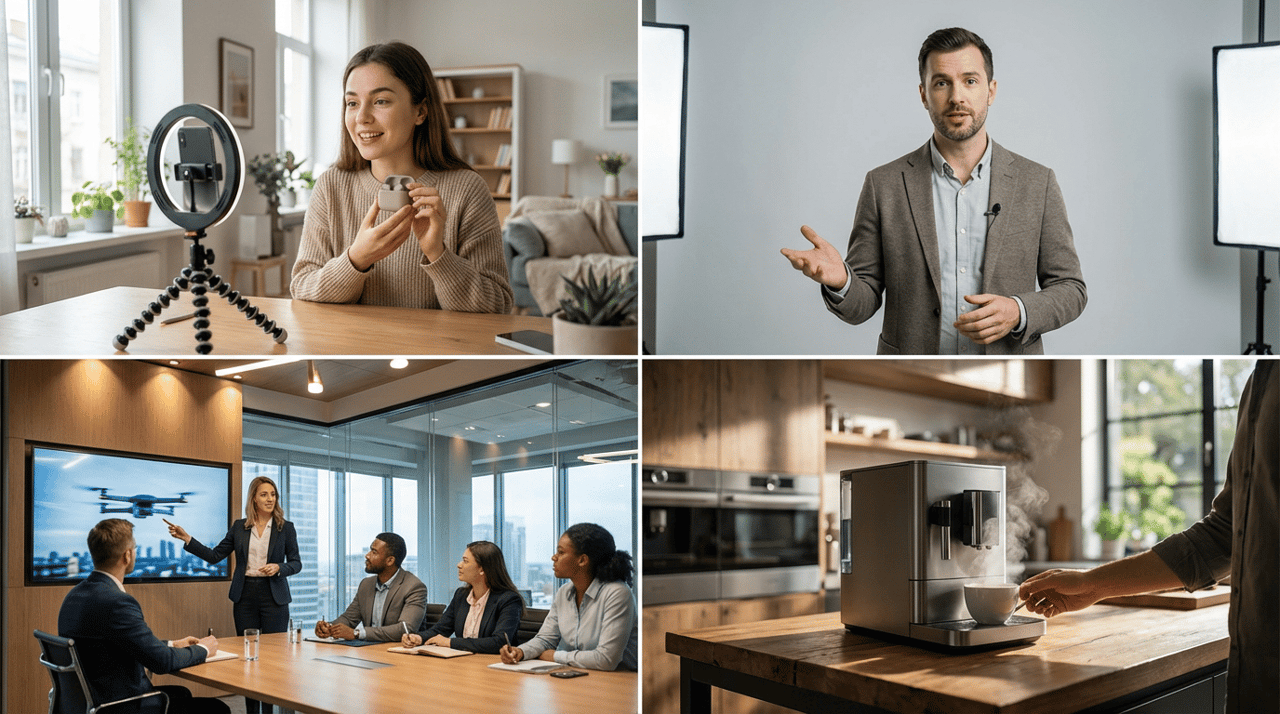
- UGC-Style Product Ads
User-generated content style ads perform well on social platforms because they feel authentic and relatable. AI video generation allows brands to produce this content at scale without coordinating with influencers or filming testimonials. Generate a character presenting your product, add a conversational script, and export in vertical format for social distribution.
- Learning and Development Content
Corporate training and educational content demands consistency across modules, often in multiple languages. AI video makes it practical to produce an instructor-led series where the same character delivers content across dozens of lessons. Update the script, regenerate the video, and the visual presentation stays consistent.
- Pitch Decks and Presentations
Static slides lose attention. Embedding short AI-generated video clips into pitch decks and presentations adds visual dynamism that holds viewer focus. Product demonstrations, concept visualizations, and data storytelling all benefit from motion. Agencies in particular use this approach to elevate client presentations without the overhead of traditional video production.
- Product Advertisements
Product videos that show items in realistic settings drive higher engagement and conversion than static images. AI video generation turns product photography into motion content, animating the scene around the product with camera movement, lighting shifts, and environmental context. This approach is especially effective for e-commerce listings and paid social campaigns.
Common Mistakes When Making AI Video
Even experienced creators encounter pitfalls when working with AI video. Awareness of these common issues saves time and produces better results.
Treating AI video as a one-click solution. The technology is powerful, but it is not magic. High-quality output requires thoughtful prompts, appropriate model selection, and iterative refinement. Expect to generate multiple drafts before arriving at your final version.
Ignoring brand consistency. AI models produce visually diverse output by default. Without deliberate style direction in your prompts, your AI-generated videos will lack the visual consistency that builds brand recognition. Develop a prompt template that includes your brand's colour palette, visual style, and tone.
Skipping the brief. Jumping directly into generation without defining your objective, audience, and format leads to wasted iterations. Five minutes of planning saves thirty minutes of regeneration.
Over-relying on a single model. Different AI video models have different strengths. Using one model for every project means you are compromising on quality for certain content types. Build familiarity with multiple models so you can match the right tool to each creative challenge.
The Future of AI Video Creation
The AI video generation market is accelerating. According to Fortune Business Insights, the market is expected to grow from $716.8 million in 2025 to over $2.5 billion by 2032 (Fortune Business Insights, 2025).
This growth is driven by increasing demand for scalable, cost-effective video production across marketing, education, entertainment, and e-commerce.
Several trends are shaping what comes next:
- Longer generation lengths. Current models typically produce clips of 4 to 10 seconds. Expect models to generate longer, more complex sequences as the underlying architectures improve.
- Better character consistency. Maintaining the same character appearance across multiple scenes remains a challenge. Advances in character-centric models are closing this gap rapidly.
- Integrated workflows. Standalone generation tools are evolving into full visual creation platforms that combine image generation, video generation, audio production, and editing into a single workspace. This eliminates the friction of jumping between multiple tools.
Real-time generation. As inference speed improves and cloud computing becomes more efficient, real-time or near-real-time video generation will open new possibilities for live content, interactive experiences, and personalized video at the point of delivery.
For creators and marketing teams, the strategic advantage belongs to those who build AI video skills now. The tools are accessible, the learning curve is manageable, and the production cost savings are substantial.
Frequently Asked Questions
How long does it take to make an AI video?
Generation time depends on the model, video length, and resolution. Most AI video generators produce a short clip (4 to 10 seconds) in under two minutes, depending on the length of video you’re generating and the specifics of the model you’re using. A complete project including prompt writing, generation, iteration, and post-production typically takes 30 minutes to two hours, again depending on what is being generated, compared to days or weeks for traditional video production.
Do I need technical skills to make an AI video?
No advanced technical skills are required. Modern AI video platforms are designed for creators and marketers, not engineers. If you can write a clear description of what you want to see, you can generate an AI video. Familiarity with basic video concepts like aspect ratio, resolution, and shot composition improves your results but is not a prerequisite.
Can I use AI-generated video for commercial purposes?
Yes, most AI video platforms offer commercial usage rights on paid plans. Free tiers often include watermarks and restrict commercial use. Always review the terms of service for the specific platform you are using to confirm commercial rights for your generated content.
What is the best resolution for AI video?
Resolution depends on your distribution channel. For social media platforms like Instagram Reels and TikTok, 1080 x 1920 pixels is standard. For YouTube and website embeds, 1920 x 1080 pixels is the baseline. Some AI video models now support generation up to 4K resolution for projects that require higher fidelity.
How do I maintain brand consistency across AI-generated videos?
Develop a standardized prompt template that includes your brand's visual style, colour palette, lighting preferences, and tone. Use the same reference images and style parameters across projects. Platforms that support multiple models allow you to test which model best matches your brand aesthetic and standardize on that choice.
Is AI video going to replace traditional video production?
AI video is not replacing traditional production. It is expanding what is possible. For high-volume, fast-turnaround content like social media clips, product ads, and training videos, AI generation is faster and more cost-effective. For complex productions requiring precise choreography, physical sets, or live performances, traditional production remains the stronger choice. Most teams will use both approaches depending on the project requirements
Key Takeaways
- AI video generation converts text, images, and audio into finished video content, eliminating the need for cameras, studios, and specialized editing skills.
- The AI video generator market is projected to grow from $638 million in 2024 to $2.6 billion by 2032, reflecting rapid adoption across industries (Credence Research, 2025).
- Effective AI video prompts follow a layered structure covering subject, action, environment, camera, and style for consistent, high-quality output.
- Matching the right AI model to your content type produces better results than relying on a single model for all projects.
- 93% of marketers report positive ROI from video marketing, making AI video production a strategic priority for teams seeking scalable content creation (Wyzowl, 2025).
What will you create?
Explore Hedra Studio and go from concept to production in minutes. Start free at hedra.com
Related Reading:
- The Complete Guide to AI Audio-driven facial animation: Create Talking Characters from Still Images
- Choosing the Right AI Video Model for Your Creative Vision
- How to Turn Any Photo Into a Talking Video (Step-by-Step Guide for Beginners)