> ## Documentation Index
> Fetch the complete documentation index at: https://www.hedra.com/docs/llms.txt
> Use this file to discover all available pages before exploring further.
# Work in Spaces
> Use a Space to keep an agent conversation, visual canvas, references, and outputs together.
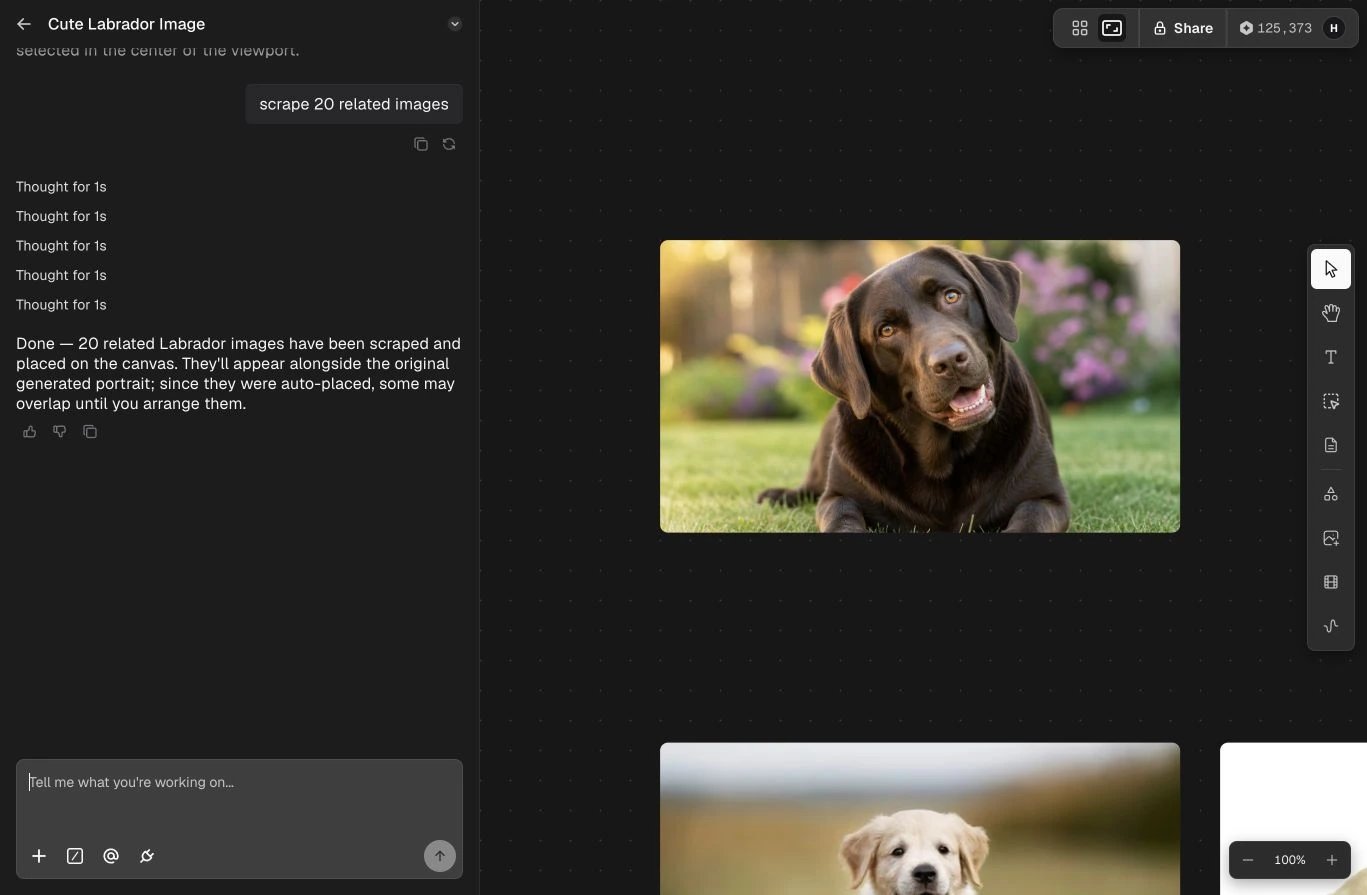
A Space is the working context for a project. It combines an agent conversation
with a visual canvas, so planning, inference, source material, and finished assets
stay connected.
 ## What a Space contains
* **Conversation** — the brief, follow-up instructions, decisions, and agent results.
* **Canvas** — generated, uploaded, and collected media arranged in a visual workspace.
* **References** — the assets and Elements used to keep identity, style, or product
details consistent.
* **Project context** — the work already completed and available for the next request.
## A practical workflow
Describe the outcome and add the references the agent should use.
Compare outputs spatially, select the useful work, and keep multiple directions
visible while you decide.
Ask for targeted changes by referring to a selected asset or an earlier result.
Download finished work, keep it in the Space, or organize assets through the
Library and Projects.
## Work with teammates
Share the canvas with named teammates or by link when the work needs review or
collaborative editing. Canvas activity stays synchronized in realtime, while your
Agent chat history remains private.
[Learn how to invite teammates and manage Space access →](/docs/pages/app/getting-started/multiplayer)
Keep one creative objective per Space. The agent can use earlier decisions more
reliably when the conversation and canvas remain focused.
## What a Space contains
* **Conversation** — the brief, follow-up instructions, decisions, and agent results.
* **Canvas** — generated, uploaded, and collected media arranged in a visual workspace.
* **References** — the assets and Elements used to keep identity, style, or product
details consistent.
* **Project context** — the work already completed and available for the next request.
## A practical workflow
Describe the outcome and add the references the agent should use.
Compare outputs spatially, select the useful work, and keep multiple directions
visible while you decide.
Ask for targeted changes by referring to a selected asset or an earlier result.
Download finished work, keep it in the Space, or organize assets through the
Library and Projects.
## Work with teammates
Share the canvas with named teammates or by link when the work needs review or
collaborative editing. Canvas activity stays synchronized in realtime, while your
Agent chat history remains private.
[Learn how to invite teammates and manage Space access →](/docs/pages/app/getting-started/multiplayer)
Keep one creative objective per Space. The agent can use earlier decisions more
reliably when the conversation and canvas remain focused.