> ## Documentation Index
> Fetch the complete documentation index at: https://www.hedra.com/docs/llms.txt
> Use this file to discover all available pages before exploring further.
# Personalize with Skills and connectors
> Save repeatable instructions as Skills and connect the agent to the context your work depends on.
Personalization helps the Hedra agent work the way you work. Skills capture a
repeatable method; connectors make external context available when a task needs it.
 ## Skills
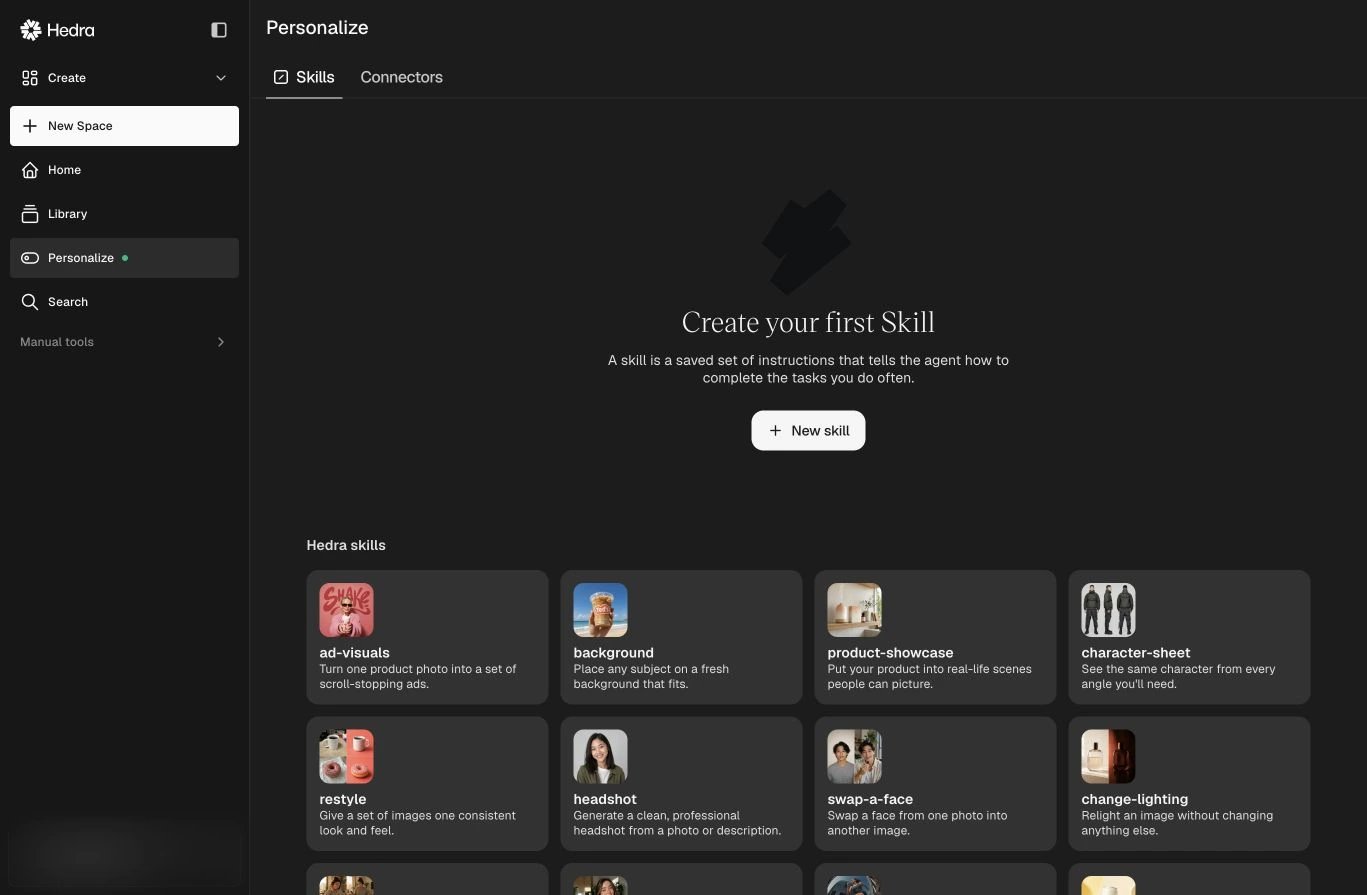
A Skill is a saved set of instructions that tells the agent how to complete a task
you do often. Hedra includes Skills for visual production and planning, including
storyboards, UGC, product showcases, character sheets, restyling, moodboards,
campaign briefs, and competitor scans.
Create a custom Skill when you repeatedly specify the same:
* sequence of steps;
* brand or creative rules;
* required inputs and deliverables;
* review checklist;
* output format.
Select **Personalize** in the sidebar, then open **Skills**.
Select **New** and describe the instructions the agent should follow.
Select the Skill from the home screen or invoke it while working in a Space,
then provide the task-specific inputs.
## Connectors
Connectors let the agent use context from another service without forcing you to
copy it into every brief. Open **Personalize → Connectors** to see what is available
for your workspace and which services are connected.
Use a connector when the task depends on current external context. Keep the
creative direction and final approval in the Space so the source material and the
result remain easy to review together.
Connected services may contain private information. Only attach the sources a
task needs, and review generated work before sharing it outside your workspace.
## Skills
A Skill is a saved set of instructions that tells the agent how to complete a task
you do often. Hedra includes Skills for visual production and planning, including
storyboards, UGC, product showcases, character sheets, restyling, moodboards,
campaign briefs, and competitor scans.
Create a custom Skill when you repeatedly specify the same:
* sequence of steps;
* brand or creative rules;
* required inputs and deliverables;
* review checklist;
* output format.
Select **Personalize** in the sidebar, then open **Skills**.
Select **New** and describe the instructions the agent should follow.
Select the Skill from the home screen or invoke it while working in a Space,
then provide the task-specific inputs.
## Connectors
Connectors let the agent use context from another service without forcing you to
copy it into every brief. Open **Personalize → Connectors** to see what is available
for your workspace and which services are connected.
Use a connector when the task depends on current external context. Keep the
creative direction and final approval in the Space so the source material and the
result remain easy to review together.
Connected services may contain private information. Only attach the sources a
task needs, and review generated work before sharing it outside your workspace.