> ## Documentation Index
> Fetch the complete documentation index at: https://www.hedra.com/docs/llms.txt
> Use this file to discover all available pages before exploring further.
# Image
> Generate and edit images with direct model, reference, and output controls.
The manual Image tool performs one image operation with the model and settings
you choose. Use it when you want direct control rather than a conversational
workflow.
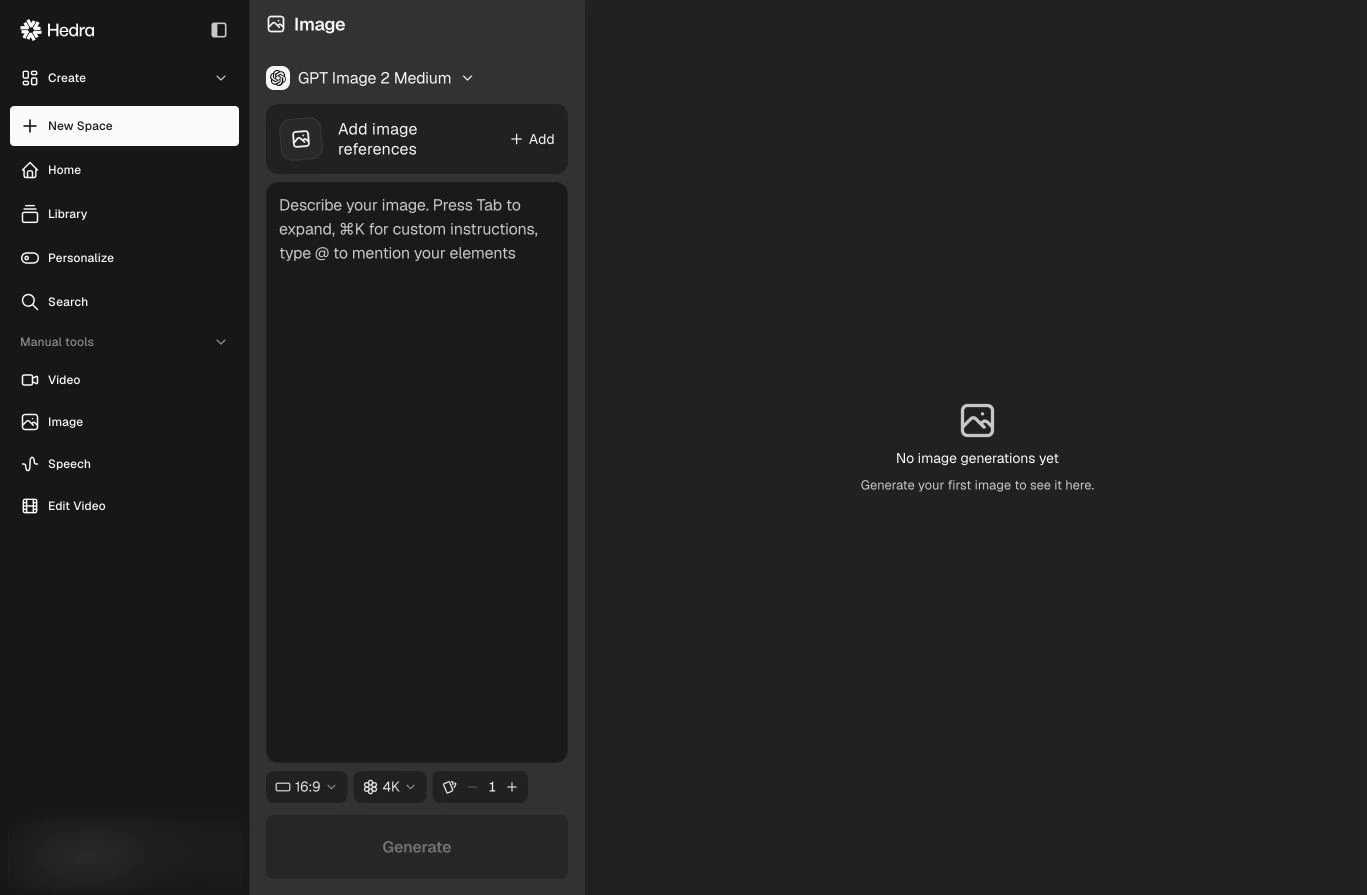 ## Generate an image
1. Open **Manual tools → Image**.
2. Choose a model.
3. Add image references when the model supports or requires them.
4. Describe the output. Type `@` to mention an Element.
5. Choose a supported aspect ratio, resolution, and batch size.
6. Select **Generate**.
## Choose inputs intentionally
* Use a prompt for the subject, composition, environment, and visual direction.
* Add references when identity, product fidelity, structure, or style should carry
into the result.
* Mention an Element when you want to reuse a saved character, environment, style,
outfit, or brand identity.
Available references, controls, credit cost, and output settings depend on the
selected model. The live model selector is the source of truth.
For multi-step work or conversational iteration, use
[Create and refine images](/docs/pages/app/content-creation/create-image) with the Agent.
## Generate an image
1. Open **Manual tools → Image**.
2. Choose a model.
3. Add image references when the model supports or requires them.
4. Describe the output. Type `@` to mention an Element.
5. Choose a supported aspect ratio, resolution, and batch size.
6. Select **Generate**.
## Choose inputs intentionally
* Use a prompt for the subject, composition, environment, and visual direction.
* Add references when identity, product fidelity, structure, or style should carry
into the result.
* Mention an Element when you want to reuse a saved character, environment, style,
outfit, or brand identity.
Available references, controls, credit cost, and output settings depend on the
selected model. The live model selector is the source of truth.
For multi-step work or conversational iteration, use
[Create and refine images](/docs/pages/app/content-creation/create-image) with the Agent.